Secure Remote Desktop Access for Legal Firms: Best Practices
Legal teams are working from more places than ever, and protecting client confidentiality while enabling remote work is non negotiable. In this guide you will learn practical, compliance-driven steps to set up secure remote desktop access for legal firms so attorneys and staff can work remotely without exposing privileged data.
Bold the exact focus keyword once below when it flows naturally: Secure Remote Desktop Access for Legal Firms is about combining the right architecture, access controls, and managed services so you reduce risk and meet regulatory duties.
Why secure remote desktop access matters for legal firms
Remote desktop access is attractive because it preserves the firm’s centralized data, simplifies backups, and maintains a consistent work environment. However, poorly configured remote access creates high risk for unauthorized disclosure of privileged information, breach of attorney client privilege, and non compliance with industry rules.
Legal practices face special obligations including client confidentiality, ethical rules from state bars, and sometimes HIPAA or FINRA requirements depending on practice area. That means remote access controls must be stronger than typical consumer setups, and they must be auditable and managed.
The top risks to mitigate
- Credential theft and phishing targeting attorneys
- Unpatched endpoints connecting from home or public Wi Fi
- Lateral movement after an initial compromise
- Data leakage from screen sharing, local file copy, or printers
Core security controls for remote desktops
Effective secure remote desktop access is layered. Use these core controls together rather than relying on just one.
Managed VDI or published desktops
Managed Virtual Desktops (VDI) centralize sessions in a hardened environment, removing sensitive data from endpoints. Armour Cloud can deliver managed VDI that is configured for compliance, monitoring, and fast recovery. See Managed Virtual Desktops (VDI) for options and managed deployments.
Multi factor authentication and conditional access
Require MFA at every remote login and apply conditional access rules that block risky sign ins, restrict access by IP, and enforce device health checks. Use role based access to limit what each user can see and do.
Secure gateway and encrypted transport
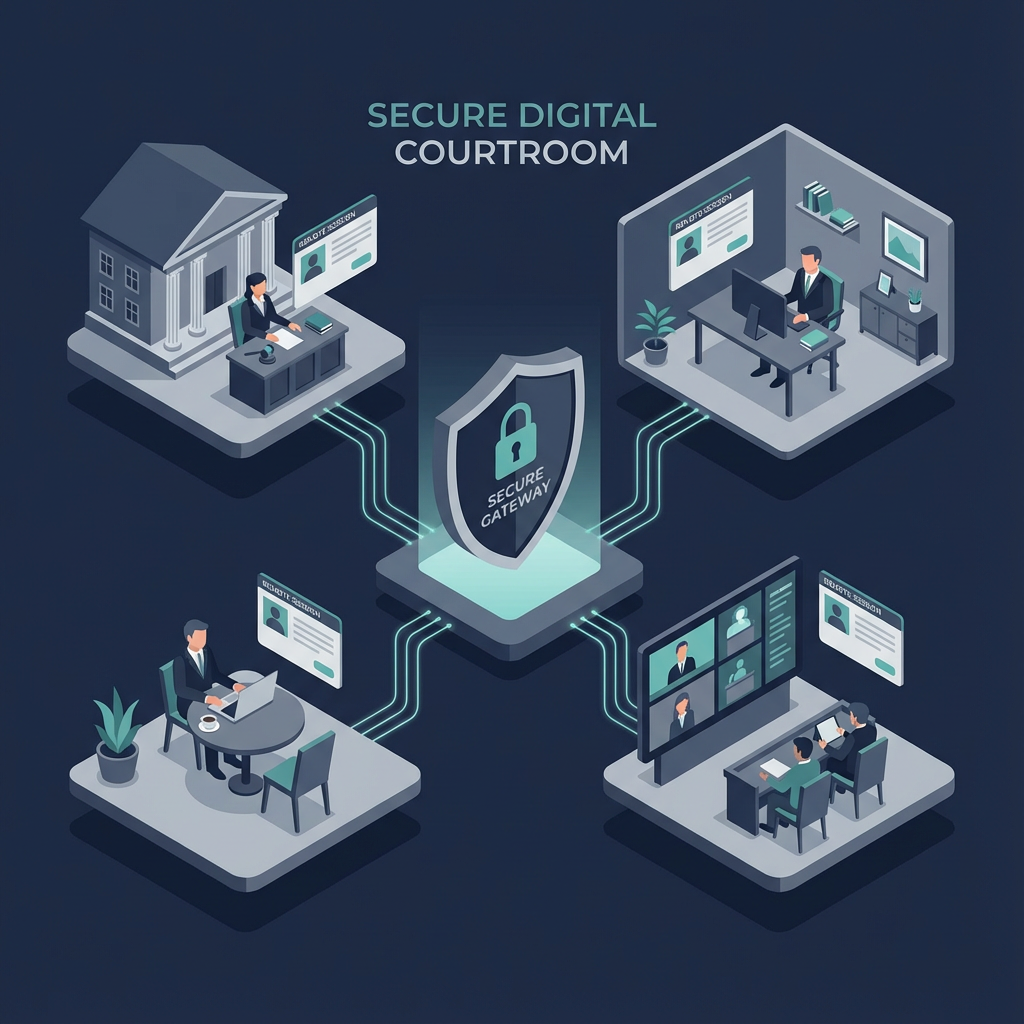
Terminate remote sessions at an authenticated gateway rather than exposing RDP ports to the internet. Use TLS 1.2 or later and strong cipher suites for all remote connections.
Endpoint management and EDR
Enforce disk encryption, endpoint detection and response, and host based firewalls on all devices that will connect to remote desktops. Patch management and configuration baselines reduce the chance of compromise from known vulnerabilities.
Network segmentation, logging, and monitoring
Segment remote desktop infrastructure from other systems, centralize logs, and monitor for suspicious activity. Keep an immutable audit trail to support incident response and compliance reviews.
VDI vs direct RDP to office PCs, explained
Published VDI sessions are usually safer than exposing individual office PCs via RDP. VDI keeps data in the data center, supports standardized images, and simplifies forensics. Direct RDP can work for small firms with strict gateway controls and strong endpoint hygiene, but it is harder to scale securely. When you need physical hardware near your users for low latency, Colocation and Private Cloud Hosting options allow you to host VDI close to Phoenix offices with better control.
Learn about Colocation and Private Cloud Hosting when you need local, low latency infrastructure.
Step by step: implementing secure remote desktop access
- Assess your data and compliance profile. Identify client data, regulated records, and retention requirements. This drives architecture and logging needs.
- Choose an architecture: Managed VDI, published apps, or secure gateway to office desktops.
- Harden images and enforce least privilege. Remove admin rights from day to day accounts.
- Configure MFA, strong password policies, and conditional access rules with device health checks.
- Deploy endpoint protections, patch management, and disk encryption on all connecting devices.
- Route sessions through a secure gateway, restrict RDP ports, and use network segmentation.
- Centralize logging, enable real time monitoring, and test incident response playbooks.
- Conduct annual or bi annual compliance and penetration testing.
If you manage Microsoft 365 for your firm, integrate remote desktop controls with your M365 identity and conditional access policies. Explore Managed Microsoft 365 Services for help integrating identity, device management, and secure email controls.
Managing email, documents, and collaboration securely
Remote desktops often work in tandem with cloud email and document services. Protect email with advanced filtering, encryption, and anti phishing controls. Armour Cloud’s Compliant M365 Email Service and Email Security & Encryption can help you enforce DLP rules, quarantine malicious mail, and maintain archives required by law.
Performance, uptime, and why Arizona hosting matters
For multi location legal firms, low latency and predictable performance help lawyers work without delays during depositions, court filings, or hearings. Hosting in Arizona data centers reduces latency for Phoenix area offices and provides regional redundancy. Armour Cloud supports HIPAA Compliant Managed Cloud Hosting and Colocation with SOC 2 controls, 24/7 support, and managed backups so you meet uptime and compliance goals.
Practical tools and standards to reference
- National Institute of Standards and Technology guidance for remote access and telework is a solid baseline for security controls. NIST Telework Guidance
- Microsoft Remote Desktop and Azure Virtual Desktop documentation explain secure deployment patterns for published desktops. Microsoft Remote Desktop Guidance
FAQs
How is VDI better than VPN plus RDP for a law firm?
VDI centralizes desktops so sensitive files never live on personal devices, it simplifies patching, and it makes auditing easier. VPN plus RDP can work but often exposes more attack surface and depends on endpoint security.
Can remote desktop access meet attorney client privilege requirements?
Yes, when sessions are encrypted, access is restricted by role, logs are retained, and devices are managed. Document processes and controls to show compliance during audits.
What authentication is best for remote desktop users?
Use strong MFA such as hardware tokens, FIDO2 keys, or authenticator apps. Combine MFA with conditional access policies to block risky connections.
Do we need a local data center or is public cloud enough?
Public cloud can be secure, but many regulated firms prefer local colocation or private cloud to control physical access, data residency, and customized compliance. Armour Cloud offers Colocation and HIPAA Compliant Managed Cloud Hosting for firms that need local, managed infrastructure.
How do we prevent data exfiltration from remote sessions?
Prevent copy paste, disable local drive redirection and printing when unnecessary, restrict upload to unmanaged devices, and monitor session activity. DLP rules on email and file storage add another layer.
How often should we test remote access security?
At minimum perform annual penetration testing and quarterly configuration reviews. Conduct tabletop incident response drills semi annually.
Summary
Secure remote desktop access for legal firms is achievable when you combine managed VDI or secure gateways, strong MFA and conditional access, endpoint hardening, and continuous monitoring. Choosing a provider experienced with compliance, low latency hosting, and 24/7 managed services reduces operational burden and improves security posture.
Get Secure Remote Access Today
If you want a compliance first approach to remote desktop access, Armour Cloud can help design, deploy, and manage secure VDI and remote access with HIPAA and SOC 2 controls. Call (602) 529-3435 or request a consultation. See Managed Virtual Desktops (VDI) to explore options and learn how Colocation or Private Cloud Hosting improves performance.
Conclusion
Here is the thing, secure remote desktop access is not a single product purchase, it is an operational program. Start with a risk assessment, pick an architecture that keeps data off unmanaged devices, enforce MFA and device health checks, and rely on a managed provider to maintain patches, monitoring, and compliance reporting. That combination helps you protect client privilege, meet regulatory duties, and keep attorneys productive.
About Armour Cloud
Armour Cloud is a Phoenix-based provider of secure, compliant cloud hosting and managed IT solutions for regulated industries. Armour Cloud delivers high-performance infrastructure built on Arizona data centers, offering low-latency, HIPAA-compliant hosting with 24/7 support.
We specialize in helping healthcare, finance, and legal organizations protect sensitive data, meet compliance requirements, and modernize their IT with scalable, managed cloud environments.
Our Top Services:
- Colocation
- Managed Desktop-as-a-Service (VDI)
- Managed Microsoft 365 Services
- Email Security & Encryption
- Secure WordPress Hosting
- Private Cloud Hosting
- HIPAA Compliant Cloud Solutions
Ready to Secure Your Cloud?
📞 Call (602) 529-3435 or Contact Armour Cloud to get started with a free consultation.