
Cloud Migration Best Practices for Success
Moving to the cloud isn't just an IT project. It's a fundamental business evolution. To get it right, you need a detailed blueprint—one that covers everything from strategic planning and security to a perfect execution and ongoing optimization. Think of it like moving your company's headquarters; you wouldn't just start packing boxes without a plan.
Why a Cloud Migration Blueprint Matters
Jumping into a cloud migration without a solid framework is a huge business risk. This isn't just about lifting and shifting data and applications from your own servers to a cloud provider. It's a chance to completely rethink your infrastructure, making it more scalable, secure, and ready for whatever your business goals are tomorrow. A well-thought-out plan turns this transition from a series of expensive technical headaches into a strategic win.
When you get the approach right, you unlock real benefits that go way beyond just shutting down old hardware. You set the stage for genuine operational improvements and innovation.
The Pillars of a Successful Migration
A successful move to the cloud stands on a few key pillars. I've structured this guide around them to give you a clear roadmap, from the initial idea all the way to long-term operational excellence. We're going to walk through how to:
- Plan Strategically: This means defining clear business goals, taking a full inventory of your assets, and mapping out how all your applications depend on each other. Skip this, and you're asking for unexpected outages.
- Ensure Airtight Security and Compliance: For anyone in a regulated industry, this is non-negotiable. We'll cover navigating complex rules like HIPAA and SOC 2 by building security in from the start and truly understanding the shared responsibility model.
- Execute Flawlessly: The goal here is to minimize downtime. That takes detailed cutover plans, serious testing in staging environments, and having solid rollback strategies ready just in case.
- Optimize Continuously: Once you're live, the work isn't over. You need to validate performance, keep a close eye on key metrics, and manage costs to make sure you're getting the best possible return on your investment.
A successful cloud migration should leave you with an IT infrastructure that is scalable, resilient, and secure. The ideal setup is one that can adapt to changing business needs on the fly while actually helping you innovate and grow.
Ultimately, getting the migration right is all about building a strong foundation. This foundation won't just support your operations today; it will enable you to adopt future advancements, whether that's AI-driven analytics or more agile ways of developing software. This guide will give you the practical steps and best practices you need to handle the complexities and make sure your cloud journey delivers real, lasting value.
The Critical Planning and Discovery Phase
Trying to migrate to the cloud without a solid discovery phase is like setting out on a cross-country road trip without a map or a GPS. You might get there eventually, but it’s going to be a painful, expensive, and frustrating journey. This initial planning stage is where you gather the intelligence needed to make the entire project a success. It’s not just about making a list of servers; it’s about deeply understanding the intricate web of your entire IT environment before you move a single byte of data.
First things first, you need a complete and thorough inventory of all your IT assets. This means every server (both physical and virtual), all storage devices, networking gear, and every single application running on them. The mission here is to create a comprehensive picture of what you have, where it lives, and what it does for the business.
This inventory process lays the foundation for what is arguably the most critical part of any migration plan: application dependency mapping.
Uncovering Hidden Connections with Dependency Mapping
In a modern IT environment, applications rarely live on an island. They’re constantly talking to databases, leaning on shared services, and connecting to other applications in ways that are often undocumented and not immediately obvious. Forgetting just one of these hidden connections is one of the most common reasons migrations go sideways.
This is where application dependency mapping is your best friend. It’s the meticulous process of identifying and charting out every connection between your applications and infrastructure. Skipping this step is a massive, unnecessary risk. In fact, a staggering 90% of migration failures and surprise outages can be traced back to overlooked dependencies. It’s why using a combination of automated discovery tools and good old-fashioned manual verification is a non-negotiable best practice.
Think of it like a detective mapping out a suspect's network. You have to know who talks to whom, when, and why. Without this map, you might move your CRM system to the cloud, only to have it crash because it can no longer reach the on-premises billing database it needs to function. An instant, business-halting outage.
Defining Clear Business Objectives
A successful migration isn't just a technical exercise; it has to be tied directly to clear business outcomes. Simply aiming to "reduce costs" isn't enough. Your goals need to be specific, measurable, and perfectly aligned with your company's broader strategy.
What are you really trying to achieve?
- Improving Operational Agility: Is the goal to scale resources up or down on a dime to meet seasonal demand, without paying for hardware that sits idle most of the year?
- Strengthening Security Posture: Are you trying to get a better handle on access controls and data encryption to meet tough compliance standards like HIPAA or SOC 2?
- Enabling Future Innovation: Is this move about creating a launchpad for adopting new tools like AI, machine learning, or advanced data analytics?
Defining these goals from the outset ensures your technical decisions are always driving real business value. For example, if data sovereignty and low-latency performance are non-negotiable, you might find that hybrid cloud solutions are the perfect fit, allowing you to keep sensitive workloads local while still tapping into the public cloud's incredible scale.
Choosing Your Migration Strategy
Once you have your inventory, dependency maps, and business goals locked in, you can start picking the right migration strategy for each application. The well-known "6 Rs" framework is an excellent guide for making these decisions.
There's no one-size-fits-all answer. Some apps might be a simple "lift and shift," while others will need a complete overhaul. This table breaks down your options to help you choose the right path for each piece of your IT puzzle.
Choosing Your Migration Strategy
| Migration Strategy | Description | Best For… | Key Considerations |
|---|---|---|---|
| Rehost (Lift and Shift) | Moving an application to the cloud with minimal or no changes. | Quick migrations of legacy systems where rewriting code is not feasible. | May not take full advantage of cloud-native features and can be less cost-efficient long-term. |
| Replatform (Lift and Reshape) | Making a few cloud optimizations to get a tangible benefit without changing the core architecture. | Applications that can benefit from cloud features like managed databases or auto-scaling. | Requires more testing than rehosting but less effort than refactoring. |
| Refactor / Rearchitect | Fundamentally altering how the application is built to be cloud-native. | Core applications where scalability, performance, and agility are top priorities. | The most complex and resource-intensive strategy, but delivers the greatest long-term benefits. |
| Retire | Decommissioning applications that are no longer needed. | Redundant or obsolete applications discovered during the inventory phase. | Frees up resources and reduces the attack surface and overall migration scope. |
| Retain | Keeping certain applications on-premises or in their current environment. | Legacy systems that are not cloud-compatible or have strict regulatory constraints. | Often a component of a hybrid cloud approach. |
Each application will likely fall into a different bucket. Your critical, customer-facing platform might be a candidate for a full Refactor, while an old internal tool might be best to just Rehost or even Retire.
Investing the time and effort in this planning and discovery phase is what separates a smooth, successful project from a chaotic one. It prevents costly mistakes, minimizes downtime, and ultimately ensures your move to the cloud becomes a true strategic advantage for your business.
Navigating Risk and Compliance in the Cloud
For any business, compliance is a non-negotiable part of the deal. This is especially true if you’re in a regulated field like healthcare or finance. Moving your operations to the cloud can feel like you're stepping into a regulatory fog, but it doesn’t have to be that way. The real trick is learning how to translate dense rules like HIPAA, SOC 2, and PCI DSS into practical, concrete cloud strategies right from the start.
Success here really comes down to understanding one core concept: the shared responsibility model.
Think of it like this: you're renting a high-security apartment. The landlord (your cloud provider) takes care of the building's core security—the foundation, the main doors, the surveillance cameras in the lobby. But you are still responsible for locking your own apartment door and deciding who gets a copy of your key.
In the cloud world, the provider secures the underlying hardware—the physical data centers, the servers, the network gear. Your job is to secure everything you put on that infrastructure: your data, your applications, and who you give access to. Frankly, misunderstanding this division of labor is one of the most common—and expensive—mistakes I see companies make.
Turning Regulations into Real-World Cloud Controls
The next step is mapping your specific compliance needs to actual cloud services. This isn't a one-size-fits-all process. Each regulation has its own unique set of demands that need to be met with specific technical and administrative controls.
-
HIPAA (Health Insurance Portability and Accountability Act): If you're handling patient data (ePHI), protecting it is everything. In the cloud, this means implementing strong encryption for data whether it's sitting on a server or moving across the network. It also means setting up strict access policies using tools like Identity and Access Management (IAM) and keeping meticulous audit logs to track who touched what data, and when. For a deeper look, check out our guide on HIPAA compliant cloud hosting and managed services.
-
PCI DSS (Payment Card Industry Data Security Standard): Any business touching credit card information has to create a secure, walled-off garden for that data. Cloud tools like Virtual Private Clouds (VPCs) and tightly configured network security groups are perfect for this, letting you isolate the cardholder data environment from everything else. You'll also need to run regular vulnerability scans.
-
SOC 2 (Service Organization Control 2): This framework is all about proving you can be trusted with customer data, focusing on five principles: security, availability, processing integrity, confidentiality, and privacy. To get SOC 2 compliant in the cloud, you need well-documented policies, automated monitoring systems, and regular audits from a third party.
The real goal isn't just to be compliant on launch day, but to stay that way. This means baking security and compliance checks right into your daily operations. It becomes a continuous practice, not a frantic, once-a-year scramble for an audit.
What to Ask Your Cloud Provider (Before You Sign Anything)
Your choice of a cloud partner is a massive piece of your compliance puzzle. Before you commit, you have to ask the hard questions to make sure their services actually line up with your legal duties. Don't just skim the marketing brochure; you need to dig in.
A good provider will give you clear, direct answers and have the paperwork to back up their claims. For companies aiming for top-tier international security standards, figuring out the process for achieving ISO 27001 certification is another critical piece of the risk management puzzle.
Here’s a practical checklist to guide those conversations:
| Compliance Area | Key Questions to Ask | Why It Matters |
|---|---|---|
| Certifications & Attestations | "Can you provide your latest HIPAA, SOC 2, and PCI DSS audit reports and certifications?" | This is third-party proof that their infrastructure meets the standards you need to build upon. |
| Data Residency & Sovereignty | "Where will our data be physically stored? Can we lock our data to specific geographic regions?" | This is absolutely essential for regulations like GDPR or for any organization that must keep data within national borders. |
| Access Controls & Logging | "What tools do you provide for managing user access? How detailed are your audit logs?" | You need fine-grained control over who can touch your resources and a clear audit trail if something goes wrong. |
| Incident Response | "What is your process for notifying us of a security incident? What is your role, and what is our role?" | You need to know exactly how a security event will be handled to ensure a coordinated and effective response. |
By tackling these risk and compliance issues head-on during your planning, you build a cloud environment that’s not only resilient but also defensible. This proactive approach makes audits smoother and strengthens your overall security, turning what could be a migration headache into a genuine strategic advantage.
Designing a Secure and Resilient Cloud Architecture
When you move to the cloud, security can't be something you bolt on at the end. It has to be baked in from the very beginning. This is probably one of the most important cloud migration best practices you'll ever follow. Getting it right is the difference between building a digital fortress and trying to slap patches on a leaky shed.
The whole process kicks off with a fundamental choice: picking the right cloud model for how your business actually works and what regulations you have to follow. Not every application has the same needs, and your architecture needs to reflect that.
Choosing Your Cloud Deployment Model
The first big decision you'll make is where your applications and data are going to live. There’s no magic bullet here. The "best" option is the one that fits your specific needs for data sensitivity, performance, and compliance.
-
Private Cloud: This gives you the ultimate level of control and isolation. If you're dealing with strict data sovereignty laws or have incredibly sensitive intellectual property, this is often the go-to. Think of it as your own private, walled-off data center, just powered by cloud tech.
-
Hybrid Cloud: This approach gives you the best of both worlds, and it's incredibly popular for a reason. You can keep your most sensitive data or those clunky legacy systems on-premises while using the public cloud for things that need to scale, like your customer-facing website or dev/test environments.
-
Multi-Cloud: Why bet on just one horse? A multi-cloud strategy means you use services from two or more providers, like AWS, Azure, or Google Cloud. This helps you avoid getting locked into one vendor's ecosystem and lets you cherry-pick the absolute best tool for each specific job.
The industry has clearly shifted away from putting all its eggs in one basket. By 2025, it's estimated that 85% of enterprises will have made the switch to a cloud-first approach. Hybrid and multi-cloud aren't just trends anymore; they're the new standard, with 87% of enterprises expected to be running hybrid clouds and 89% using multi-cloud setups. You can dig into more of these cloud migration statistics to see where things are headed.
Building Your Core Network Defenses
Once you know where you're building, it's time to put up the walls and fences. In the cloud, this means creating secure, isolated network environments to keep your digital assets safe from prying eyes.
A well-designed cloud network is like a digital immune system. It isolates your critical systems, controls who and what can talk to them, and actively defends against threats. A breach in one corner shouldn't be able to take down the whole operation.
A few key tools make this possible:
- Virtual Private Clouds (VPCs): A VPC is your own private slice of the public cloud. You get to define your own network, control your IP addresses, and set up subnets. It gives you total command over your little corner of the internet.
- Security Groups and Network ACLs: These are your virtual firewalls. Security groups are like bouncers for your individual servers (instances), controlling what traffic gets in or out. Network Access Control Lists (ACLs) work at a broader level—the subnet—giving you another layer of defense.
Implementing Strong Identity and Access Management
Controlling who can get into your cloud environment—and what they're allowed to do once they're in—is absolutely fundamental. This is where Identity and Access Management (IAM) comes in.
The golden rule here is the principle of least privilege. It's a simple but powerful idea: every user, every application, every service should only have the bare-minimum permissions needed to do its job. Nothing more. If an app only needs to read from a database, it should never, ever have permission to delete it. Following this rule drastically shrinks your attack surface and limits the damage if an account ever gets compromised.
Ensuring Resilience with Backups and Disaster Recovery
A secure architecture is also a resilient one. Let's be honest, things go wrong. Someone might accidentally delete critical data, or an entire cloud region could have an outage. Your architecture has to be built to handle these bumps in the road and get back on its feet quickly.
This boils down to two critical practices:
- Automated Backups and Snapshots: Don't rely on manual processes. Set up regular, automated backups of your important data and server images. Cloud platforms make it incredibly easy to schedule frequent snapshots, so you can always roll back to a known good state without losing much work.
- Disaster Recovery (DR) Plan: A DR plan gathering dust on a shelf is useless. It needs to be a tested, automated process you can count on. This might mean replicating your entire setup to a different geographic region, allowing you to "fail over" and keep the business running if your primary location goes down.
By weaving these security and resilience threads into your architecture from the very start, you build a foundation that doesn’t just protect your data—it supports your business and lets you grow with confidence.
Executing a Flawless Migration and Cutover
All the planning, risk assessments, and architectural diagrams have led to this moment: the actual migration. This is where the blueprint comes to life. The goal here is simple but critical—get everything moved over to the new cloud environment with the least possible disruption to your day-to-day business.
A smooth cutover isn't about crossing your fingers and hoping for the best. It’s the direct result of obsessive preparation, detailed scripting, and having a plan B (and C) for anything that could go sideways.
The Migration Runbook: Your Step-by-Step Script
The single most important document for the execution phase is the Migration Runbook. Don't think of this as a simple to-do list; it's more like a movie script for the entire event, detailed down to the minute.
It meticulously outlines every single task, who owns it, when it starts, when it should end, and exactly what to do if a step fails. During the high-pressure hours of a cutover, this runbook is the team's single source of truth, eliminating confusion and keeping everyone perfectly synchronized. When it comes to the technical details of migrating data from existing systems, a well-structured runbook is non-negotiable.
Here is a simplified look at what a runbook for a single application might contain.
Essential Migration Runbook Template
| Task ID | Task Description | Owner | Start Time | End Time | Status | Rollback Step |
|---|---|---|---|---|---|---|
| 101 | Notify stakeholders of maintenance window start | Comms Lead | 22:00 | 22:05 | Pending | N/A |
| 102 | Place legacy application in read-only mode | App Team | 22:05 | 22:15 | Pending | 201 |
| 103 | Perform final data replication sync | DBA | 22:15 | 23:00 | Pending | 202 |
| 104 | Shut down legacy application services | App Team | 23:00 | 23:10 | Pending | 201 |
| 105 | Update DNS to point to new cloud IP | Network Team | 23:10 | 23:40 | Pending | 203 |
| 106 | Start cloud application services & validate | Cloud Ops | 23:40 | 00:00 | Pending | 204 |
This table provides a high-level view, but a real runbook would have dozens or even hundreds of entries, each with specific commands and validation checks.
Practice Makes Perfect: Pre-Production Testing
You wouldn't perform a play on opening night without a dress rehearsal. The same principle applies here. Before you even schedule the real cutover, you must validate the entire process in a pre-production or staging environment.
This staging area needs to be a near-perfect clone of your target cloud setup. Its whole purpose is to give your team a safe place to run through the migration from start to finish—multiple times—without touching your live systems. This is where you iron out the wrinkles in your runbook, stress-test your new cloud applications, and confirm data integrity post-move. You're building muscle memory.
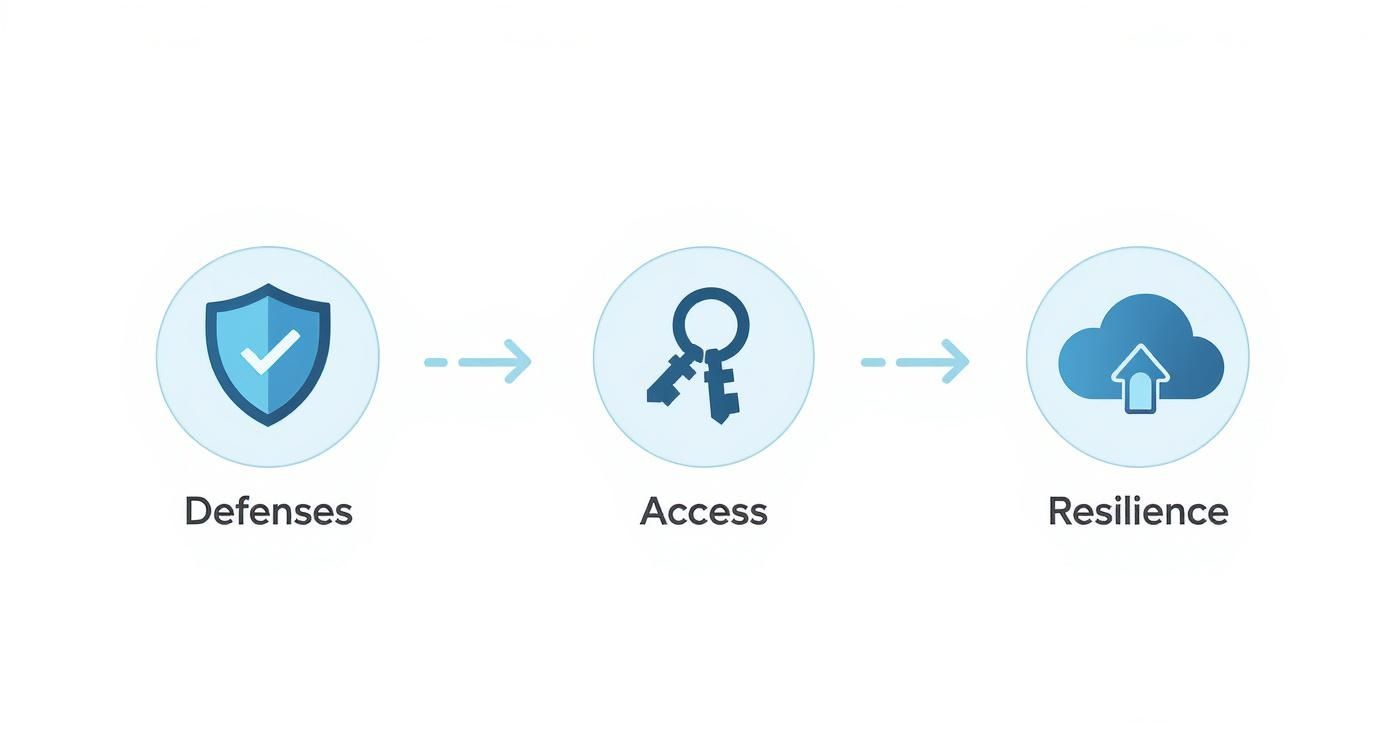
As the infographic shows, a secure and resilient environment is built on layers: proactive defenses to stop threats, strict access controls to limit exposure, and solid recovery plans for when things go wrong.
Choosing Your Cutover Strategy
How you make the final switch depends entirely on your application's architecture and your business's tolerance for risk. There are generally two ways to go about it.
-
Phased Rollout: This is the more cautious approach. You migrate services or users in small, controlled groups. Think of it like opening a new store to a select group of customers first. You might move a single department or one feature at a time. This dramatically lowers the risk because any problems are contained to a small subset of users and can be fixed before you proceed.
-
Big Bang Approach: Just like it sounds, this is an all-at-once switch. It's usually done over a weekend or a planned maintenance window to minimize impact. While it’s faster and avoids the complexity of running two systems in parallel, the risk is much higher. If a major issue pops up, it affects everyone instantly. This method works best for tightly integrated systems that are difficult or impossible to split apart.
No matter which path you take, communication is everything. Keep your stakeholders and users in the loop before, during, and after the cutover. The last thing you want are surprises.
The Ultimate Safety Net: Your Rollback Plan
This might be the most important part of your entire execution plan: knowing how to undo it. A well-documented and fully tested rollback plan is your emergency parachute. If a show-stopping issue appears after the cutover that you can't fix quickly, you need a clear, proven process to switch back to your old, stable environment.
A solid rollback plan isn't just a vague idea; it's a specific script that includes:
- Clear Triggers: Define precisely what constitutes a failure worthy of a rollback. This could be data corruption, a critical application function not working, or performance dropping below an acceptable threshold.
- Step-by-Step Instructions: The exact technical commands and procedures to revert DNS changes, fail back databases, and bring the legacy systems back online.
- Defined Roles: Everyone needs to know their exact job in a rollback scenario to prevent chaos during an already stressful event.
Having this plan ready to go gives everyone the confidence to execute the migration, knowing you have a reliable way to protect the business if the unexpected occurs.
Achieving Operational Excellence After Migration
Getting your systems cut over to the cloud isn't the finish line—it’s the starting gun for a new operational marathon. This is the phase where all that planning pays off, but only if you stick with it. It’s a fundamental shift from a project-based mindset to one of constant validation, monitoring, and improvement.
The very first thing to do is a thorough post-launch validation. This is way more than just checking if the lights are on. Your team needs to dig in and meticulously verify that every application is performing just as well as it did on-premises, if not better. You also have to confirm that all your data made the trip intact and without any corruption. This step proves the migration was a technical success and builds a solid foundation for what comes next.
Establishing Robust Monitoring and Alerting
Once you know everything is stable, your focus immediately shifts to keeping it that way. You can't manage what you can't see, which is why comprehensive monitoring is absolutely essential. And I'm not just talking about watching CPU usage; it's about building a complete, real-time picture of your environment's health.
Effective monitoring means setting up systems that keep a close watch on a few key areas:
- Performance Metrics: Keep an eye on application response times, latency, and error rates. These are your early warning signs for a poor user experience.
- Security Posture: Actively monitor for unusual access patterns, unauthorized changes to your configurations, and other potential threats.
- Cost Management: Set up alerts and dashboards to track your cloud spend against your budget. This is how you avoid nasty billing surprises at the end of the month.
By setting clear thresholds and automated alerts, your team can finally get out of reactive "firefighting" mode. Instead, you can proactively tackle issues before they ever impact the business. For businesses in regulated industries, having solid cloud hosting and managed services is a non-negotiable for maintaining this level of oversight.
Driving Continuous Cost Optimization
Let's be honest, one of the biggest reasons for moving to the cloud is the promise of saving money. But those savings don't just happen on their own. Without careful management, cloud costs can quickly spiral out of control. In reality, the estimated 20-30% cost savings compared to traditional IT only happen when migrations are well-planned and followed by continuous oversight. You can find more insights about cloud migration inflection points on aws.amazon.com.
The cloud gives you incredible power and flexibility, but it bills you for every resource you use, whether you need it or not. Achieving operational excellence means treating cloud spending not as a fixed cost, but as a variable that you can actively control and optimize.
This means building a culture of financial accountability—what the industry now calls FinOps. It’s about making cost a visible and important metric for everyone, from the engineers writing code to the executives signing the checks.
Here are a few practical strategies to get started:
- Right-Sizing Instances: Constantly analyze your usage patterns and downsize virtual machines that are too big for the job. Why pay for an eight-lane highway when you only need a two-lane road?
- Leveraging Savings Plans: For any workload with predictable usage, commit to reserved instances or savings plans. The discounts compared to on-demand pricing can be substantial.
- Automating Shutdowns: Set up simple scripts to automatically shut down non-production environments (like your dev and staging servers) on nights and weekends.
By validating your launch, monitoring your environment, and continuously optimizing your costs, you turn a one-time migration project into a sustainable operational model that truly delivers on the full promise of the cloud.
Got Questions About Cloud Migration? We've Got Answers.
Even the most meticulously planned cloud migration will have its share of questions. It's just part of the process. Let's tackle some of the most common ones we hear from businesses, clearing up the confusion so you can move forward with confidence.
What’s the Single Biggest Migration Mistake to Avoid?
Without a doubt, the most common and costly mistake is rushing the discovery and planning phase. It's tempting to want to jump right in, but skipping this step is a recipe for disaster.
We've seen it happen time and again: teams dive in without a full inventory of their apps, a clear picture of how everything connects, or a solid understanding of their compliance obligations. This almost always leads to nasty surprises like unexpected downtime, glaring security holes, and budgets that spiral out of control. Taking the time to do your homework upfront isn't just a good idea—it's the most critical step for a smooth migration.
How Do I Pick the Right Cloud Strategy?
There’s no one-size-fits-all answer here. The best strategy—whether that’s sticking with one provider, using several, or mixing cloud with your own hardware—comes down to what your business actually needs.
Here's a quick breakdown:
- Single-Cloud: This is the most straightforward option. You go all-in with one provider, like AWS or Azure. The main risk? Vendor lock-in.
- Multi-Cloud: This approach involves using specialized services from different cloud providers to get the best tool for each job. It also builds in some nice redundancy.
- Hybrid-Cloud: This model is a mix of public cloud and private infrastructure (either on-premises or in a private cloud). It's perfect for organizations with strict data sovereignty rules, legacy systems that aren't ready to move, or applications that need ultra-low latency.
These days, most companies are gravitating toward hybrid or multi-cloud setups. The flexibility and risk reduction are simply too good to pass up.
The secret to avoiding bill shock? Proactive cost management. Start by "right-sizing" your resources during the planning phase—don't pay for more than you need. Once you're live, set up continuous monitoring and budget alerts to stay on track.
How Can I Keep My Cloud Costs from Getting Out of Hand?
Getting a handle on cloud spending isn't a one-time task; it's an ongoing discipline, often called FinOps. Your cloud provider gives you a ton of tools for analyzing costs and finding savings, so make sure you're using them.
A few practical tips can make a huge difference. For workloads that run 24/7, look into reserved instances to lock in lower rates. And for your development or staging environments, set up automated scripts to shut them down overnight and on weekends. You’d be amazed at how much you can save by simply turning things off when nobody's using them.
Navigating the twists and turns of a secure and compliant cloud migration requires a partner who truly understands what's at stake. Armour Cloud offers expert migration planning, secure hybrid cloud solutions, and ongoing managed services to make your transition seamless and your new environment resilient. Learn how we can help you migrate with confidence.
Article created using Outrank


