How to Achieve SOC 2 Compliance M365, Step-by-Step Guide Now

Armour Cloud — How to Achieve SOC 2 Compliance in Microsoft 365
Meeting SOC 2 requirements for a Microsoft 365 environment is a practical, evidence-driven process, not a one-time project. Start by understanding where your data lives in M365, which controls Microsoft provides, and which responsibilities remain with your organization. This guide walks you through an actionable roadmap and checklist so you can confidently prepare for a SOC 2 audit.
In this article you will learn key scoping decisions, control mappings, technical configurations, and the documentation practices that auditors expect. For quick reference, this guide uses clear steps you can apply to Exchange Online, SharePoint, OneDrive, Teams, and Azure AD.
Why SOC 2 Matters for Microsoft 365
Organizations using Microsoft 365 often assume cloud provider compliance covers them. Here’s the thing, auditors expect you to demonstrate controls for your configuration, access, data handling, and vendor oversight. Microsoft supplies many security-and-compliance capabilities, but you must implement, monitor, and produce evidence of those controls.
When you follow this guide you will be able to show documented policies, configured M365 controls, logging and monitoring artifacts, and regular testing evidence aligned to SOC 2 Trust Services Criteria. Bold, repeatable controls reduce audit effort and ongoing risk.
A Practical Roadmap to Achieve SOC 2 Compliance M365
1) Define Scope and Responsibility
- Identify M365 workloads in scope, such as Exchange Online, Teams, SharePoint, OneDrive, and Azure AD. Decide whether the scope includes endpoints and third-party integrations.
- Document responsibility matrix, mapping Microsoft-managed controls versus your organization’s responsibilities.
- Limit scope where possible to reduce audit surface and costs.
2) Map Controls to M365 Capabilities
- Create a control matrix mapping SOC 2 criteria to M365 features: conditional access, multi-factor authentication, data loss prevention, retention labels, eDiscovery, audit logs, and encryption.
- Note which controls require configuration in Microsoft 365 Admin Center, Defender for Office 365, or Azure AD.
3) Identity and Access Management
- Enforce Azure AD Conditional Access policies, MFA for all admin and privileged accounts, and role-based access control for least privilege.
- Use privileged identity management where available, and log all admin activities for audit evidence.
4) Data Protection and Encryption
- Apply Microsoft Purview DLP policies for sensitive data classes, use sensitivity labels and encryption for sensitive documents, and configure retention/lifecycle policies.
- Ensure data at rest and in transit encryption is enabled and documented.
5) Logging, Monitoring, and Detection
- Enable unified audit logging and keep logs for the retention window required by SOC 2. Capture sign-in logs, mailbox audit logs, admin activity, and DLP events.
- Integrate logs with a SIEM or managed monitoring service and create alerting for suspicious behavior.
6) Change Management and Configuration Controls
- Maintain documented change management procedures for M365 configurations and apply approvals for policy changes.
- Keep versioned policy documents and export snapshots of configuration for evidence.
7) Vendor and Third-Party Risk
- Inventory third-party apps connected to M365, review permission scopes, and require secure app registrations and conditional access controls.
- Keep contracts and vendor risk assessments on file.
8) Testing, Monitoring, and Evidence Collection
- Schedule regular internal control tests, phishing simulations, backup and restore tests, and tabletop exercises.
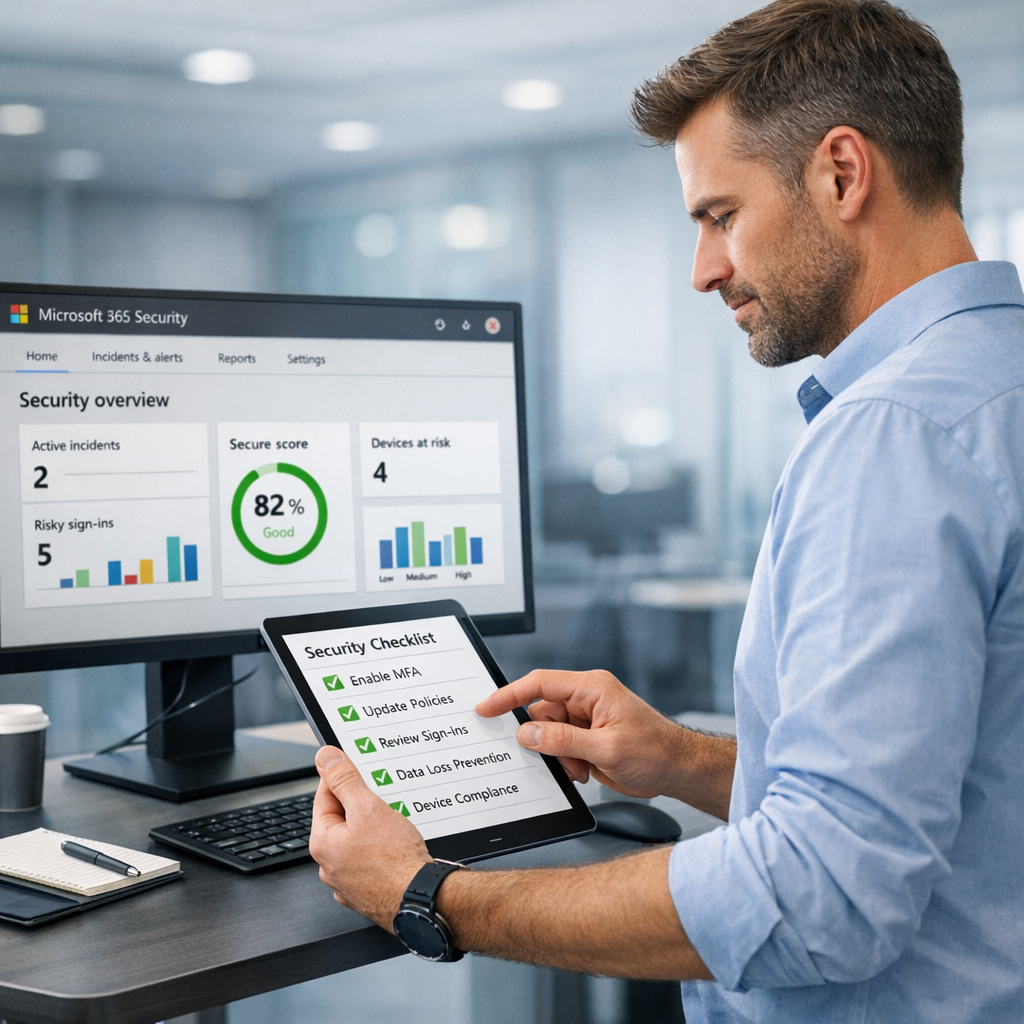
- Keep screenshots, exported logs, policy exports, test results, and meeting minutes to build an audit-ready evidence package.
How Armour Cloud Helps You Achieve SOC 2 in M365
Armour Cloud offers managed Microsoft 365 services and compliance-focused support to close the implementation gap between Microsoft’s platform and your audit requirements. We deliver:
- Managed Microsoft 365 configuration and ongoing administration to enforce security baselines. Explore our managed services at https://armourcloud.io/microsoft-365/
- Compliant email hosting and additional controls for eDiscovery and retention at Compliant M365 Email Service
- Advanced email threat protection and encryption through Email Security & Encryption
- An affordable, compliance-ready private cloud option for regulated workloads: HIPAA Compliant Managed Cloud Hosting
These services help you collect evidence, maintain secure configurations, and reduce the time auditors need to validate controls.
SOC 2 for M365: Implementation Checklist
- Define audit scope and system boundary
- Map SOC 2 controls to M365 features and document responsibilities
- Implement Azure AD MFA and Conditional Access for all accounts
- Configure DLP, sensitivity labels, and retention policies
- Enable unified audit logs and integrate with SIEM
- Document change management and access reviews
- Inventory third-party apps and perform vendor risk assessments
- Run periodic tests and retain artifacts as audit evidence
Summary
Achieving SOC 2 compliance in Microsoft 365 is a combination of correct scoping, secure configuration, continuous monitoring, and disciplined evidence collection. With the right control mapping and a managed partner for operations and monitoring, you can shorten audit timelines and lower total cost of compliance.
FAQs
What does SOC 2 require for cloud-hosted email and collaboration platforms?
SOC 2 requires documented controls demonstrating security, availability, confidentiality, processing integrity, and privacy as applicable. For M365 this means implemented access controls, encryption, logging, monitoring, and evidence of policy enforcement.
How long does it take to prepare M365 for a SOC 2 audit?
Preparation time varies by organization size and maturity. Small teams with basic controls might be ready in 2 to 3 months. Larger environments often require 3 to 9 months of remediation, testing, and evidence collection.
Can Microsoft’s compliance certifications replace my SOC 2 audit?
No. Microsoft’s certifications demonstrate the platform meets certain controls, but your SOC 2 report must show how your organization configures, uses, and monitors M365 to meet SOC 2 criteria.
Which M365 logs are most important for SOC 2 evidence?
Unified audit logs, Azure AD sign-in and audit logs, mailbox audits, and DLP or Defender alerts are critical. Retain exports and SIEM alerts as part of your evidence package.
Do I need a third-party auditor to get SOC 2?
Yes. SOC 2 is issued by an independent CPA firm. You can prepare internally or with a managed provider, but an auditor performs the attestation.
How can Armour Cloud reduce compliance costs for M365?
Armour Cloud provides managed services that bundle configuration, monitoring, evidence retention, and remediation. That reduces internal staffing needs and lowers total cost of ownership when compared to building the same capabilities in-house.
Ready to Get Started with SOC 2 for Microsoft 365?
Take the next step by scheduling a consultation. Call (602) 529-3435 for secure, compliance-focused M365 support, or request a consultation at https://armourcloud.io/contact/. Armour Cloud will help you scope the audit, implement controls, and collect the evidence auditors expect.
Conclusion
SOC 2 in Microsoft 365 is achievable when you treat compliance as an operational program. Start small by scoping, map controls to M365 features, lock down identity and data protection, and collect repeatable evidence. Partnering with a managed provider like Armour Cloud speeds implementation and lowers long-term costs, while giving you local, 24/7 support tuned to regulated industries.
About Armour Cloud
Armour Cloud is a Phoenix-based provider of secure, compliant cloud hosting and managed IT solutions for regulated industries. Armour Cloud delivers high-performance infrastructure built on Arizona data centers, offering low-latency, HIPAA-compliant hosting with 24/7 support.
We specialize in helping healthcare, finance, and legal organizations protect sensitive data, meet compliance requirements, and modernize their IT with scalable, managed cloud environments.
Our Top Services:
- Colocation
- Managed Desktop-as-a-Service (VDI)
- Managed Microsoft 365 Services
- Email Security & Encryption
- Secure WordPress Hosting
- Private Cloud Hosting
- HIPAA Compliant Cloud Solutions
Ready to Secure Your Cloud?
📞 Call (602) 529-3435 or Contact Armour Cloud to get started with a free consultation.