Managed VDI Benefits for Multi Location Business, Arizona AZ

Modern multi-site organizations need dependable, secure desktop access that keeps teams productive across time zones and offices. When you centralize desktops and apps with a managed service, you reduce friction, lower risk, and simplify compliance while giving employees a fast, consistent experience.
Managed VDI Benefits for Multi Location Business deliver centralized control, HIPAA and SOC 2-friendly security, and lower total cost of ownership compared with trying to maintain separate local machines and complex VPNs. This article explains the key advantages, how to secure and manage remote desktops, and why an Arizona-based managed provider adds performance and compliance value.
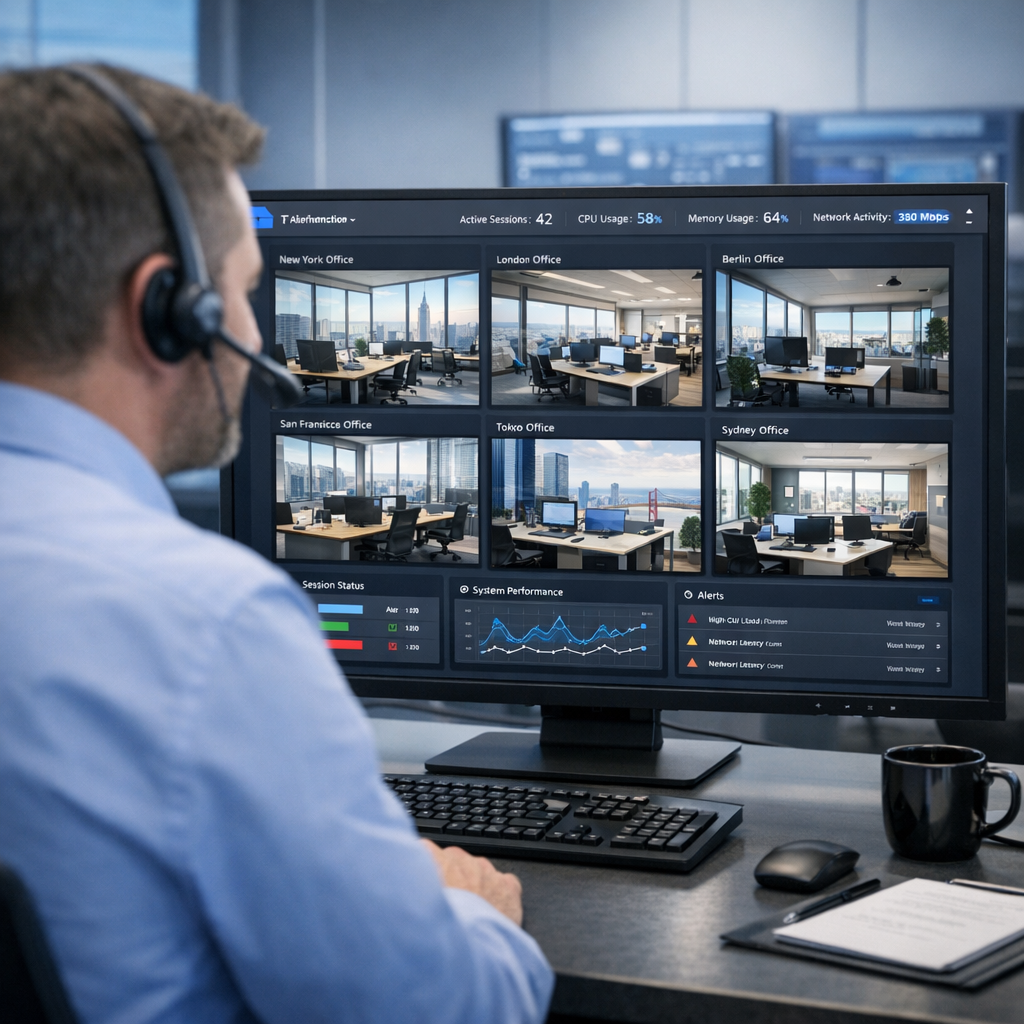
What Managed VDI Means for Multi-Location Businesses
Managed Virtual Desktop Infrastructure, or Managed VDI, moves user desktops and apps from local PCs into secure, centrally managed virtual machines in a data center. For businesses with multiple offices, retail locations, or remote workers, this means the same secured desktop image, consistent performance, and centralized updates, backups, and policy enforcement across every site.
Who benefits most
- Regulated organizations needing HIPAA, SOC 2, or PCI controls.
- Multi-location businesses that must standardize apps and reduce on-site IT overhead.
- Teams that require secure remote access and predictable performance, especially across Arizona and the Mountain West.
Key Benefits
Centralized management and reduced IT complexity
Managed VDI centralizes desktop images, updates, and policies, so IT teams manage one environment instead of dozens. That means faster onboarding, predictable patching, and simpler troubleshooting, freeing staff to focus on higher-value tasks.
Link to learn more about Managed Virtual Desktops (VDI): https://armourcloud.io/virtual-desktops/
Stronger security and easier compliance
Because desktops run inside a controlled data center, you limit data stored on local devices, enable full-disk and in-transit encryption, and apply consistent access controls and logging. This architecture makes regulatory audits simpler and helps maintain HIPAA or SOC 2 requirements. Pairing VDI with a HIPAA-ready hosting partner reduces compliance overhead. See HIPAA Compliant Managed Cloud Hosting for more details: https://armourcloud.io/hipaa-compliant-cloud-hosting/
Performance, low latency, and regional advantage
Keeping VDI instances in Phoenix-area data centers reduces latency for Arizona and nearby offices, improving application responsiveness. For multi-location businesses with branches across the state, low-latency connections translate directly into better user experience and reduced frustration.
Explore Colocation benefits for hybrid configurations: https://armourcloud.io/colocation/
Predictable costs and lower total cost of ownership
Managed VDI turns capital expenses for PCs and local servers into predictable operational costs. You avoid surprise refresh cycles and reduce onsite support needs. Compared with large hyperscalers, a local managed provider often provides lower long-term TCO with bundled managed services and fewer hidden usage fees. Consider Private Cloud Hosting options for cost-effective dedicated environments: https://armourcloud.io/private-cloud-hosting/
Business continuity and simplified disaster recovery
A centrally managed desktop environment can be replicated, backed up, and restored faster than thousands of local machines. If a site has connectivity issues or a device fails, users can quickly reconnect to their virtual desktop from another location or device.
Consistent end-user experience
VDI enables standardized desktop images and app delivery, reducing app compatibility issues and providing the same tools and workflows to employees at every location. This helps training, productivity, and change management.
How to Secure Remote Desktops: Practical Steps
- Use strong multi-factor authentication and conditional access. Require MFA for all remote logins and restrict access based on location and device posture.
- Segment networks and limit lateral movement, so a compromised endpoint can not access sensitive systems.
- Apply endpoint controls and thin-client policies, including disabling local storage of sensitive files.
- Keep images patched and versioned centrally, and test updates on a staging pool before broad rollout.
- Monitor session activity and keep audit logs for compliance and incident investigation.
For secure email integration and encryption with your managed desktops, review Compliant M365 Email Service and Email Security & Encryption: https://armourcloud.io/compliant-email-service/ and https://armourcloud.io/email-security/
Managing Microsoft 365 with Managed VDI
Managed VDI simplifies Microsoft 365 administration by centralizing application delivery and applying tenant-level security policies. Best practices include:
- Deploying the latest Microsoft 365 clients in the golden image, and using FSLogix profiles for fast sign-in and persistent user profiles.
- Enforcing Conditional Access and Intune policies from a single pane of glass.
- Backing up mailbox data and SharePoint/OneDrive assets per your compliance rules.
Explore Managed Microsoft 365 Services: https://armourcloud.io/microsoft-365/
Addressing Common Objections
- "We can’t afford to reimage thousands of PCs" — Managed VDI reduces refresh cycles and shifts costs to predictable OPEX. Bundled services lower administrative overhead.
- "Users need local performance" — With regional data centers and GPU or high-performance instance options, most apps perform as well or better than local machines.
- "Compliance is harder in the cloud" — When you choose a compliance-focused, Arizona-based partner, the provider handles platform controls, logging, and data residency to simplify audits.
Migration Checklist for Multi-Location Rollouts
- Inventory apps and identify those needing GPU, USB passthrough, or special drivers.
- Build a standardized golden image and test across representative user groups.
- Pilot with one site, measure performance and user satisfaction, iterate, then scale.
- Train help desk staff on VDI-specific troubleshooting and session management.
- Document recovery procedures and run failover drills.
Summary
Managed VDI provides multi-location businesses with centralized control, better security, predictable costs, and improved uptime. For regulated organizations, pairing VDI with a compliance-focused, locally managed provider in Arizona reduces audit complexity and supports HIPAA, SOC 2, and PCI requirements.
Frequently Asked Questions
What are the primary cost savings from Managed VDI?
You save on PC refresh cycles, distributed support costs, and lost productivity during outages. Predictable subscription-style pricing and bundled managed services also reduce unexpected bills and lower total cost of ownership.
Can Managed VDI meet HIPAA and SOC 2 requirements?
Yes, when deployed with a compliance-focused provider who offers encrypted storage, logging, access controls, and auditable procedures. Armour Cloud’s HIPAA-ready environments help meet those standards.
How does VDI affect application performance for remote workers?
When hosted in regional data centers and paired with proper instance sizing and network optimization, VDI often matches or improves performance compared with older local desktops. For graphics-heavy apps, select GPU-enabled instances.
What is the typical migration timeline?
Small pilots can run in 2 to 6 weeks. Full rollouts depend on app complexity and number of users, typically 2 to 6 months for medium-sized multi-site deployments.
How do we secure file sharing and email with VDI?
Use tenant-wide Microsoft 365 policies, DLP, encryption in transit and at rest, and managed email filtering. Armour Cloud supports integrated email security and M365 management for compliant environments.
Will users be locked into a single device or location?
No, VDI allows users to connect from multiple devices, while keeping data inside the secure environment. This improves flexibility and supports BYOD policies with proper endpoint controls.
Ready to Modernize Your Multi-Location IT?
If you manage multiple offices or regulated operations and need a secure, low-latency desktop solution, Armour Cloud delivers affordable HIPAA-compliant Managed VDI with local Arizona data centers and 24/7 support. Call (602) 529-3435 or request a consultation at https://armourcloud.io/contact/.
Conclusion
Here’s the thing, consolidating desktops into a managed VDI platform is one of the fastest ways to simplify IT, improve security, and standardize the employee experience across multiple locations. When you pair VDI with an Arizona-based, compliance-focused provider, you get performance, auditability, and cost predictability that larger national platforms rarely match without high fees.
About Armour Cloud
Armour Cloud is a Phoenix-based provider of secure, compliant cloud hosting and managed IT solutions for regulated industries. Armour Cloud delivers high-performance infrastructure built on Arizona data centers, offering low-latency, HIPAA-compliant hosting with 24/7 support.
We specialize in helping healthcare, finance, and legal organizations protect sensitive data, meet compliance requirements, and modernize their IT with scalable, managed cloud environments.
Our Top Services:
- Colocation
- Managed Desktop-as-a-Service (VDI)
- Managed Microsoft 365 Services
- Email Security & Encryption
- Secure WordPress Hosting
- Private Cloud Hosting
- HIPAA Compliant Cloud Solutions
Ready to Secure Your Cloud?
📞 Call (602) 529-3435 or Contact Armour Cloud to get started with a free consultation.