Soc 2 Type 2 Data Center Checklist: For Arizona Regulated IT
Ensuring your data center meets SOC 2 Type 2 expectations is more than a compliance box to check, it is a continuous program of controls, evidence, and operational discipline. Whether you run a colo cage, manage private cloud infrastructure, or host regulated workloads, a focused, practical checklist helps you prepare for an auditor and keep systems secure all year.
Below you will find a step-by-step, auditor-oriented soc 2 type 2 data center checklist that covers physical, technical, and process controls. Use it to assemble documentation, collect evidence, and prioritize fixes before audit day.

Summary
This checklist walks through the critical controls auditors expect for a SOC 2 Type 2 review, including physical security, environmental resilience, access control, change management, logging and monitoring, backup and recovery, and vendor management. It is specially tailored for regulated Arizona organizations evaluating colocation, private cloud, or managed services.
Why SOC 2 Type 2 Matters for Data Centers
SOC 2 Type 2 verifies not only that controls exist, but that they operated effectively over time. For data centers this means auditors will want continuous evidence: access logs, environmental sensor histories, test results, incident response records, and change tickets. The outcome builds trust with regulated clients and supports HIPAA, PCI, and enterprise procurement requirements.
Pre-Audit Preparation Checklist
1) Policies and Documentation
- Maintain up-to-date physical security, incident response, access control, change management, and encryption policies.
- Evidence: Signed policy documents, policy distribution logs, and recent training records.
2) Physical and Environmental Controls
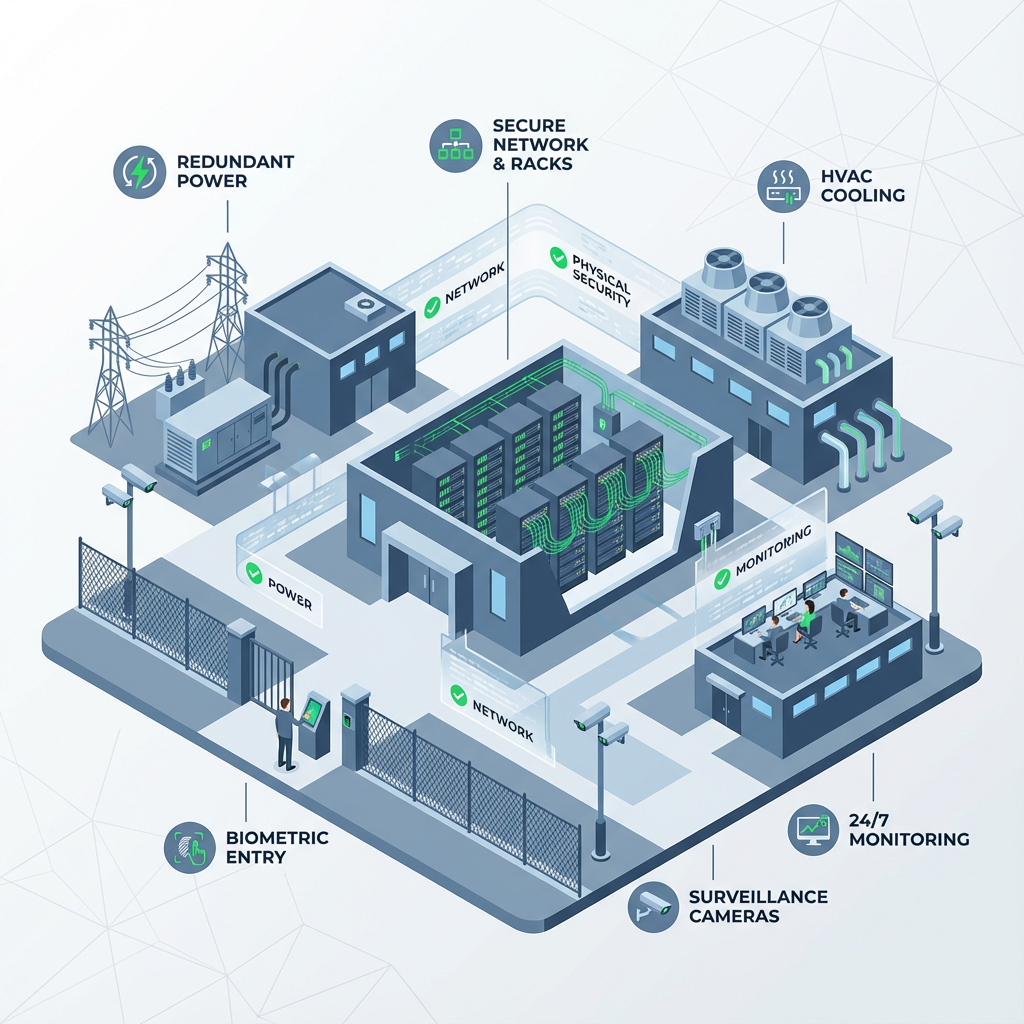
- Visitor management with badges, escorting procedures, and CCTV retention policies.
- Redundant power architecture (N+1, generators, UPS), HVAC monitoring, and fire suppression system maintenance logs.
- Evidence: Visitor logs, CCTV clips for sample dates, generator test reports, UPS health logs, and maintenance contracts.
3) Logical Access and Identity Management
- Enforce least privilege, MFA for privileged access, role-based access control, and periodic access reviews.
- Evidence: Access lists, MFA enforcement screenshots, IAM change tickets, and access review meeting minutes.
4) Network and Perimeter Security
- Segmented networks for management vs tenant systems, up-to-date firewall rules, IDS/IPS alerts, and VPN configuration standards.
- Evidence: Network diagrams, firewall change tickets, IDS/IPS exports for sample period, and VPN logs.
5) System Hardening and Patch Management
- Baseline hardening standards, automated patch schedules, and exception handling processes.
- Evidence: Patch reports, configuration baselines, and deviation approvals.
6) Change Management and Configuration Controls
- Formal change request and approval workflow, pre- and post-change testing, and rollback plans.
- Evidence: Change tickets, test results, and post-change monitoring screenshots.
7) Monitoring, Logging, and SIEM
- Centralized logging, tamper-evident storage, log retention aligned to policy, and alerting with documented playbooks.
- Evidence: SIEM dashboards, retention settings, and sample preserved logs for the audit window.
8) Backup, Recovery, and DR Tests
- Regular backups, encrypted at rest and in transit, documented recovery point and time objectives, DR runbooks and test results.
- Evidence: Backup logs, encryption key management notes, and DR test reports showing recovery timelines.
9) Incident Response and Forensics
- Documented incident response plan, escalation matrix, communication templates, and incident logs including root cause and remediation.
- Evidence: Incident records from the audit window and tabletop test summaries.
10) Vendor and Third-Party Risk Management
- Inventory of third-party services, contract clauses for security, and periodic vendor assessments.
- Evidence: Third-party SOC reports, contracts, and vendor risk review records.
11) Physical Asset and Inventory Controls
- Asset tagging, lifecycle management, and secure disposal procedures for decommissioned hardware.
- Evidence: Asset inventory exports, disposal certificates, and procurement records.
12) Privacy, Confidentiality, and Encryption
- Data classification scheme, encryption standards for data at rest and in transit, and key management policy.
- Evidence: Schema maps, encryption configs, and key rotation logs.
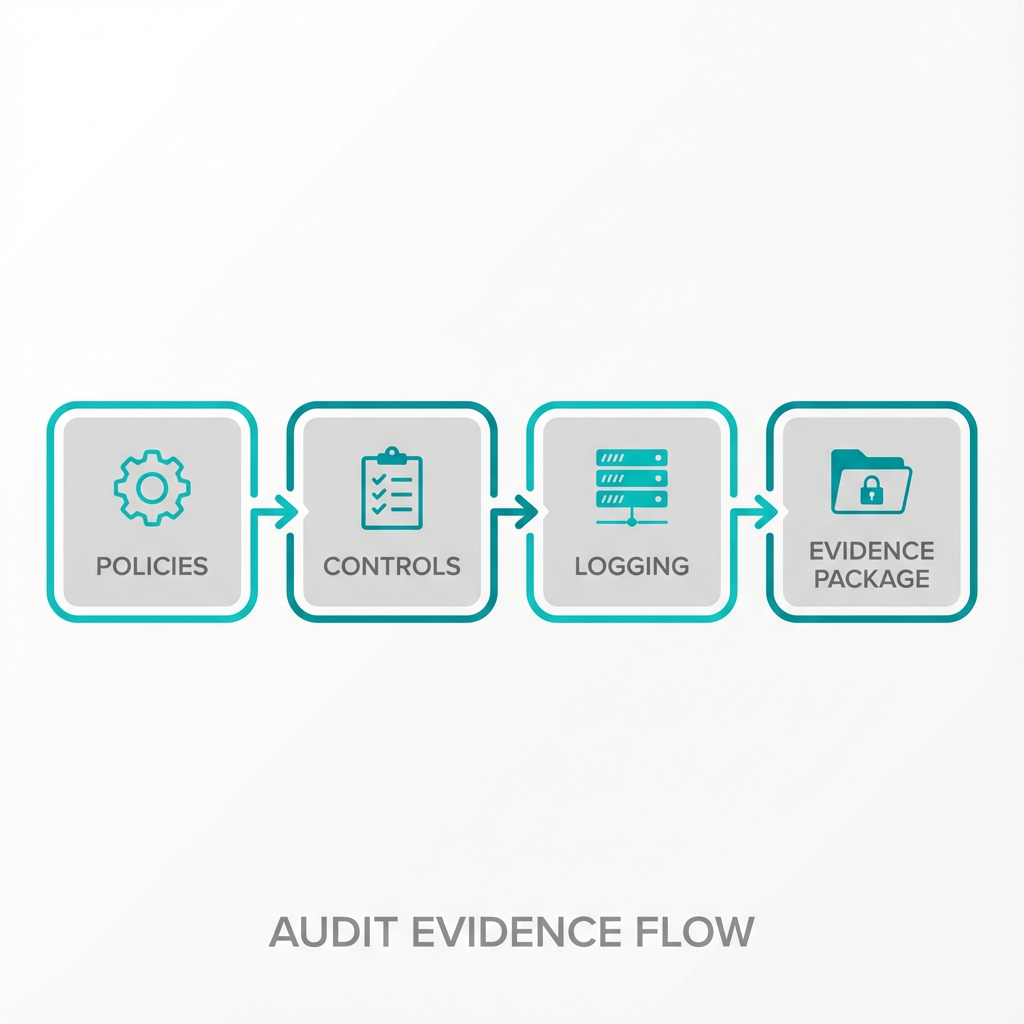 controls -> logging -> evidence package. Vector infogr…”>
Evidence Collection Tips
- Pull samples across the full audit period, not just current-state snapshots.
- Keep an evidence index spreadsheet with file names, date ranges, and short descriptions for auditor convenience.
- Where possible, export system logs in original format and include hashes to prove integrity.
How Armour Cloud Supports Your SOC 2 Type 2 Readiness
- Colocation options with documented physical controls and maintenance evidence help satisfy many SOC 2 physical criteria. Learn more about Colocation here: https://armourcloud.io/colocation/
- For workload isolation and control, our Private Cloud Hosting reduces shared-tenant risk: https://armourcloud.io/private-cloud-hosting/
- Managed Virtual Desktop (VDI) options simplify endpoint security and centralized logging: https://armourcloud.io/virtual-desktops/
- Managed Microsoft 365 services and compliant email solutions reduce configuration drift and provide audit-grade logging: https://armourcloud.io/microsoft-365/ and https://armourcloud.io/compliant-email-service/
Common Audit Pain Points and How to Fix Them
- Missing historical logs, fix: extend retention and backfill where possible.
- Unclear change evidence, fix: require pre-change test artifacts and documented approvals.
- Incomplete vendor evidence, fix: obtain vendor SOC reports or conduct compensating controls and document them.
FAQ
What is the difference between SOC 2 Type 1 and Type 2 for data centers?
SOC 2 Type 1 assesses the design of controls at a point in time. Type 2 tests operating effectiveness over a sampling period, which requires continuous evidence like logs and test results.
How long is the typical SOC 2 Type 2 audit period?
Audit periods commonly range from 3 to 12 months. Discuss timing with your auditor early so you can collect continuous evidence across the full period.
Which Trust Services Criteria should data centers prioritize?
Security and availability are foundational for data centers. Confidentiality and processing integrity often follow depending on client needs. Privacy applies when personal data is processed.
Can colocation alone satisfy all SOC 2 requirements?
Colocation addresses physical and environmental controls, but you still need to demonstrate logical controls, policies, monitoring, and process evidence for systems you manage.
What are quick wins to improve readiness in 30 days?
Enforce MFA for all privileged access, start centralized logging with short-term retention, document key policies, and perform a tabletop incident response exercise.
How should I document evidence for audit review?
Create an indexed evidence repository with descriptive filenames, timestamps, and short explanations. Use a spreadsheet or document that maps each SOC criterion to specific artifacts.
Do you need specialized tools for SOC 2 Type 2 evidence collection?
Tools help, but disciplined processes are more important. SIEM, IAM, change management, and backup systems that produce exports simplify evidence assembly.
Next Steps and Practical Checklist You Can Use Today
- Build an evidence index and map it to SOC 2 criteria. 2. Schedule access reviews and collect access reports. 3. Export logs for the audit period and secure them. 4. Run a DR test and collect results. 5. Engage a SOC auditor early to confirm scope.
Get Help From a Local, Compliance-Focused Provider
If you need hands-on help aligning your data center to SOC 2 Type 2 controls, Armour Cloud provides colocation, private cloud, and managed VDI services tuned for regulated organizations. Call (602) 529-3435 for secure hosting or compliance support, or request a consultation at https://armourcloud.io/contact/.
Conclusion
SOC 2 Type 2 is both a verification and an operational discipline. Use this checklist to gather the documentation auditors want and to strengthen controls that protect your customers and business. Start with policies, collect continuous evidence, and remediate high-risk gaps before your audit window.
About Armour Cloud
Armour Cloud is a Phoenix-based provider of secure, compliant cloud hosting and managed IT solutions for regulated industries. Armour Cloud delivers high-performance infrastructure built on Arizona data centers, offering low-latency, HIPAA-compliant hosting with 24/7 support.
We specialize in helping healthcare, finance, and legal organizations protect sensitive data, meet compliance requirements, and modernize their IT with scalable, managed cloud environments.
Our Top Services:
- Colocation
- Managed Desktop-as-a-Service (VDI)
- Managed Microsoft 365 Services
- Email Security & Encryption
- Secure WordPress Hosting
- Private Cloud Hosting
- HIPAA Compliant Cloud Solutions
Ready to Secure Your Cloud?
📞 Call (602) 529-3435 or Contact Armour Cloud to get started with a free consultation.