Securing Microsoft 365 for Healthcare, Compliance & Control.

Healthcare organizations face constant pressure to protect patient data while enabling clinicians to work from anywhere. That tension makes effective cloud security more than a checkbox, it is a business requirement that supports care, liability reduction, and compliance.
Securing Microsoft 365 for healthcare starts with a clear risk-first plan, then maps controls to HIPAA, business continuity, and identity hygiene. This article walks through practical steps, configuration guidance, and managed options for regulated organizations that need low-latency, compliant Microsoft 365 operations.
Summary
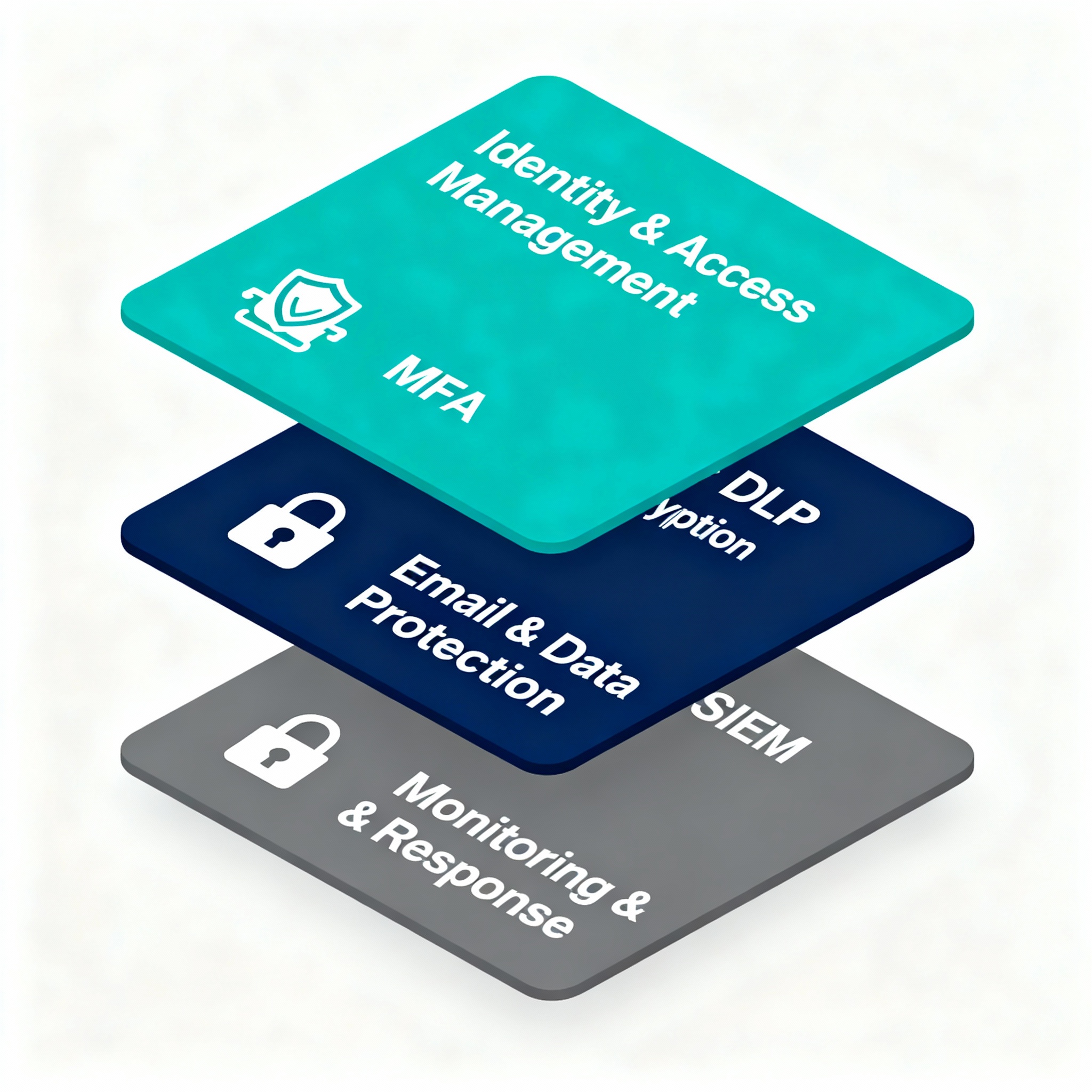
This guide explains why Microsoft 365 needs specialized controls in healthcare, core security configurations, email protection strategies, device and VDI considerations, compliance documentation practices, and monitoring plus incident response. It includes actionable checklists, recommended managed services, and links to Armour Cloud services so you can move from assessment to secure operation.
Why healthcare needs dedicated Microsoft 365 security
- Patient data is high value to attackers, and breaches have immediate legal and reputation costs. Healthcare organizations must protect PHI and meet HIPAA security requirements.
- Collaboration tools expand the attack surface, with email, Teams, OneDrive, and SharePoint all moving sensitive records into cloud services.
- Remote work and third-party integrations increase identity and endpoint risk, which is why identity-first controls and managed VDI are common mitigations.
Core steps to secure Microsoft 365 for healthcare
1) Harden identity and access
- Enforce multi-factor authentication for all users, with conditional access policies for high-risk sign-ins. Use identity protection to block legacy auth.
- Apply least privilege via role-based access controls and time-bound admin roles. Keep global admins to a minimum.
- Monitor sign-in risk signals and risky users with continuous review.
Recommended service: Explore Armour Cloud’s Managed Microsoft 365 Services at https://armourcloud.io/microsoft-365/ for identity configuration and ongoing management.
2) Protect email and prevent phishing
- Enable advanced email filtering, anti-phishing, and safe links to stop credential harvesting and malicious attachments.
- Configure DKIM, SPF, and DMARC for your sending domains, and use inbound filtering to quarantine suspicious messages.
- Implement mailbox audit logging and automated playbooks for credential compromise.
Learn more about robust mail controls with Armour Cloud’s Email Security & Encryption at https://armourcloud.io/email-security/ and Compliant M365 Email Service at https://armourcloud.io/compliant-email-service/.
3) Data loss prevention and encryption
- Create DLP policies for PHI, lab results, and clinical documents, spanning Exchange, SharePoint, OneDrive, and Teams.
- Use sensitivity labels and automatic encryption to ensure files exported or shared externally remain protected.
- Keep a documented data classification and retention policy to support audits.
4) Secure endpoints and VDI
- For remote desktops and clinician workstations, use Managed Virtual Desktops (VDI) to centralize sensitive processing and reduce local data footprint. See Managed Virtual Desktops (VDI) at https://armourcloud.io/virtual-desktops/.
- Enforce endpoint compliance checks, disk encryption, and managed patching. Integrate with conditional access to block unmanaged devices.
5) Logging, monitoring, and incident response
- Forward Microsoft 365 audit logs and Defender alerts into an enterprise SIEM. Build playbooks for phishing, data exfiltration, and ransomware events.
- Conduct tabletop exercises and maintain an incident response plan tied to HIPAA breach reporting timelines.
Compliance mapping and documentation
- Map Microsoft 365 controls to the HIPAA Security Rule administrative, physical, and technical safeguards. HHS guidance on HIPAA is a required reference for policies.
- Keep signed BAAs with Microsoft and third-party vendors, capture configuration baselines, and store evidence for audits.
External resources: U.S. HHS HIPAA Guidance, Microsoft 365 Security Documentation.

Implementation checklist for the first 90 days
- Inventory tenants, administrators, and third-party apps.
- Enforce MFA and conditional access for admins and clinical staff.
- Deploy DLP templates and sensitivity labels for PHI.
- Configure advanced email filtering and DMARC.
- Route logs to a SIEM and set up critical alerts.
- Document baselines and start quarterly configuration reviews.
If you prefer a managed path, Armour Cloud’s HIPAA Compliant Managed Cloud Hosting can accelerate compliant deployments, see https://armourcloud.io/hipaa-compliant-cloud-hosting/.
Managing tradeoffs: productivity vs security
Here is the thing, clinicians need fast access to records, and heavy-handed controls can slow care down. Use targeted policies, risk-based conditional access, and VDI to preserve performance while enforcing strict controls only where PHI is handled.
FAQ
What configuration changes are highest impact for protecting PHI in Microsoft 365?
Enable MFA, enforce conditional access, apply DLP policies for PHI, and enable mailbox/tenant auditing. Those steps reduce the most common attack paths.
Does Microsoft sign a BAA for Microsoft 365?
Yes, Microsoft offers a Business Associate Addendum for many Microsoft 365 services, but you must document which services are covered and keep your own configuration evidence.
How do I secure Teams and SharePoint where clinicians share documents?
Use sensitivity labels, DLP rules targeting Teams and SharePoint, limit guest access, and monitor file sharing with alerts for external sharing of PHI.
Can Armour Cloud manage my tenant and compliance requirements?
Yes, Armour Cloud offers Managed Microsoft 365 Services and can provide ongoing configuration, monitoring, and documentation to support HIPAA and SOC 2 compliance, learn more at https://armourcloud.io/microsoft-365/.
Is VDI necessary to secure remote clinician desktops?
VDI is not always required, but it lowers risk by keeping data in a controlled environment and simplifies patching, backups, and access controls. See Managed Virtual Desktops (VDI) at https://armourcloud.io/virtual-desktops/.
How often should I review Microsoft 365 security posture?
Quarterly reviews for configuration, monthly review of alerts, and immediate review after any security incident are a good baseline.
Get help securing Microsoft 365
If you need a partner to implement these controls, request a consultation with Armour Cloud. Call (602) 529-3435 for secure hosting or compliance support, or request a consultation at https://armourcloud.io/contact/.
Conclusion
Securing Microsoft 365 for healthcare means combining identity hygiene, targeted data protection, strong email defenses, endpoint controls, and continuous monitoring. You do not have to manage this alone, a Phoenix-based partner can provide local, compliant hosting, managed tenant services, and 24/7 support so your IT team can focus on enabling care.
About Armour Cloud
Armour Cloud is a Phoenix-based provider of secure, compliant cloud hosting and managed IT solutions for regulated industries. Armour Cloud delivers high-performance infrastructure built on Arizona data centers, offering low-latency, HIPAA-compliant hosting with 24/7 support.
We specialize in helping healthcare, finance, and legal organizations protect sensitive data, meet compliance requirements, and modernize their IT with scalable, managed cloud environments.
Our Top Services:
- Colocation
- Managed Desktop-as-a-Service (VDI)
- Managed Microsoft 365 Services
- Email Security & Encryption
- Secure WordPress Hosting
- Private Cloud Hosting
- HIPAA Compliant Cloud Solutions
Ready to Secure Your Cloud?
📞 Call (602) 529-3435 or Contact Armour Cloud to get started with a free consultation.