Secure Remote Desktop for Law Firms: A Practical Guide
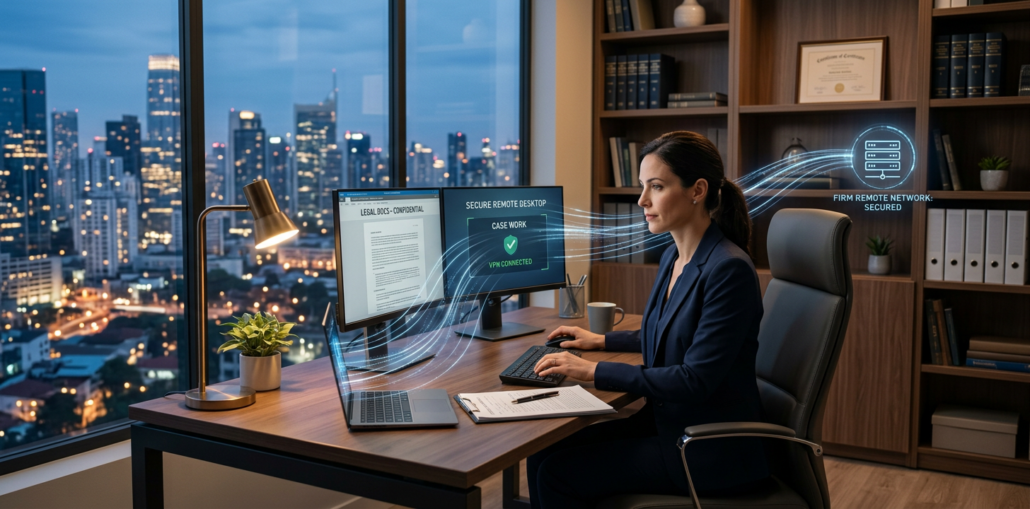
Law firms do not have the luxury of treating remote access like a casual convenience. Client records, case files, privileged communications, and billing data all demand serious protection. A secure remote desktop for law firms gives attorneys and staff the flexibility to work anywhere without exposing sensitive information to unnecessary risk.
The good news is that secure access does not have to be complicated or overpriced. With the right private cloud or managed VDI setup, firms can improve productivity, simplify IT, and strengthen compliance at the same time. For firms comparing public cloud options to a more controlled environment, this is where local support and predictable pricing can make a real difference.
Why Law Firms Need Secure Remote Desktop Access
Remote work is now a normal part of legal operations, but the risks are higher than in many other industries. Lawyers handle confidential client matters, discovery materials, financial records, and documents tied to ongoing litigation. If those files are stored on unmanaged laptops or accessed through weak remote tools, one mistake can create a major exposure.
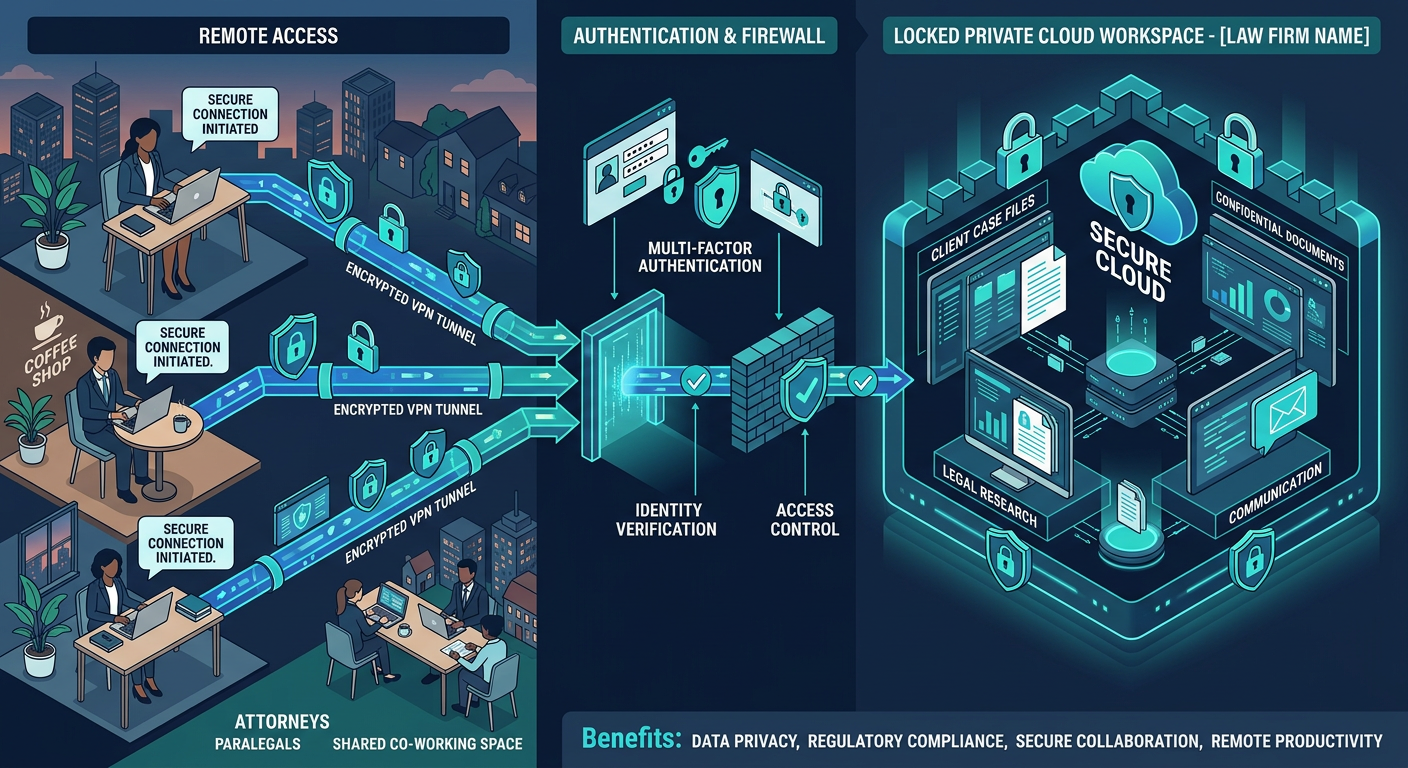
A secure remote desktop centralizes data and applications in a protected environment instead of scattering them across endpoints. That means staff can log in from the office, home, or court while the data stays in a controlled system.
What Makes Legal Data So Sensitive
Law firms deal with information that can affect active cases, client privacy, and reputational trust. A compromised device or unsecured connection can expose more than just files, it can expose strategy, communications, and privileged work product.
That is why remote access should be designed around least privilege, encryption, logging, and centralized control.
Core Features of a Secure Remote Desktop for Law Firms
A legal-grade remote desktop platform should do more than let someone log in from a different location. It should make security easier for the firm and simpler for the user.
Centralized Data Storage
Keep files in the environment, not on the device. This reduces the chance of accidental loss, unauthorized copying, or local malware exposure.
Multi-Factor Authentication
Passwords alone are not enough. MFA adds a critical second layer that helps block account takeover attempts.
Role-Based Access Controls
Attorneys, paralegals, and administrative staff should only see what they need. Limiting access by role reduces internal risk and supports cleaner compliance.
Session Monitoring and Logging
Detailed logs help IT teams track activity, investigate incidents, and support audit readiness.
Endpoint Protection and Encryption
Every remote session should be encrypted in transit, and the endpoints used to connect should be managed and protected.
How to Secure Remote Access Without Slowing Your Firm Down
Security should not make work harder. The best systems are designed so your team barely notices the protection, because the controls run quietly in the background.
Step 1: Move Sensitive Work Into a Managed Environment
Using a platform like Managed Virtual Desktops (VDI) keeps documents and applications inside a controlled workspace. That is especially useful for firms with hybrid teams or multiple office locations.
Step 2: Pair Remote Access With Private Cloud Controls
A Private Cloud Hosting model gives your firm more predictable performance and tighter control over data handling than many shared public cloud setups.
Step 3: Protect Email, Because Phishing Is Still a Top Threat
Law firms are prime targets for phishing and invoice fraud. Layering in Email Security & Encryption and Email Filtering helps stop malicious messages before they become an incident.
Step 4: Secure Collaboration Tools Like Microsoft 365
Most firms rely on Microsoft tools every day. Managed configuration and policy enforcement through Microsoft 365 Managed Services can reduce risk from weak passwords, misconfigured sharing, and accidental data leaks.
Step 5: Put Website Security on the Same Priority Level
If your firm relies on its website for intake or client communication, Secure WordPress Hosting helps protect a common entry point that attackers often target.
Why Managed VDI Is a Strong Fit for Legal Teams
Managed VDI works well for law firms because it keeps the work environment consistent. Whether someone is using a laptop at home or a desktop in the office, they reach the same secure workspace.
That consistency reduces IT support headaches and helps firms scale more easily during growth, mergers, or seasonal workload spikes.
Practical Benefits for Firms
- Fewer local devices storing sensitive data
- Easier onboarding and offboarding
- Better control over software versions and patches
- Improved performance for remote staff
- Lower risk of data loss from stolen or damaged devices
Compliance, Uptime, and the Cost Conversation
Law firms care about compliance, but they also care about uptime and budget discipline. A secure platform should support operational continuity without creating surprise costs.
Armour Cloud is built for regulated organizations that want affordable HIPAA-compliant cloud hosting and cost-effective managed cloud services without sacrificing control. For legal practices, that same model often means better value than large national providers, especially when you factor in local support, lower latency in Arizona, bundled management, and fewer hidden fees.
If your firm operates across locations, a hybrid approach can also help. See Hybrid Cloud Solutions for environments that balance flexibility with control.
How Armour Cloud Supports Law Firms
Armour Cloud helps legal teams reduce risk while keeping systems fast, dependable, and easier to manage. With Arizona-based infrastructure and hands-on support, firms can get the benefits of a secure environment without the complexity that often comes with larger cloud platforms.
For firms that want local accountability and strong performance, HIPAA Compliant Managed Cloud Hosting can be a smart fit, even for legal workflows that demand similar levels of confidentiality and control.
You can also explore Virtual Office Solutions if your firm wants a broader remote work model with centralized management.
FAQs About Secure Remote Desktop for Law Firms
What is the safest way for attorneys to work remotely?
The safest approach is to use a managed remote desktop or VDI environment that keeps data centralized, adds MFA, and limits local file storage.
Is remote desktop better than storing files on laptops?
Yes. Centralized access reduces the chance that sensitive documents are lost, stolen, or copied onto unmanaged devices.
Can a small law firm use secure remote desktop tools?
Absolutely. Smaller firms often benefit the most because they get enterprise-grade security without needing a large internal IT team.
How does remote desktop help with compliance?
It supports access control, logging, encryption, and data containment, all of which help improve audit readiness and reduce security gaps.
What should law firms do about phishing emails?
They should use email filtering, encryption, staff training, and managed Microsoft 365 security policies to reduce exposure.
Why choose a local provider instead of a national cloud vendor?
A local provider can deliver more personalized support, lower latency, more predictable billing, and a closer fit for compliance-focused organizations.
Protect Your Firm With the Right Remote Desktop Strategy
A secure remote desktop for law firms is not just an IT upgrade, it is a risk reduction strategy. It helps protect client data, supports flexible work, and gives your team a safer way to stay productive.
If your firm is ready to improve remote access, reduce compliance stress, and work with a provider that understands regulated industries, call (602) 529-3435 or contact Armour Cloud to start a conversation.
About Armour Cloud
Armour Cloud is a Phoenix-based provider of secure, compliant cloud hosting and managed IT solutions for regulated industries. Armour Cloud delivers high-performance infrastructure built on Arizona data centers, offering low-latency, HIPAA-compliant hosting with 24/7 support.
We specialize in helping healthcare, finance, and legal organizations protect sensitive data, meet compliance requirements, and modernize their IT with scalable, managed cloud environments.
Our Top Services:
- Colocation
- Managed Desktop-as-a-Service (VDI)
- Managed Microsoft 365 Services
- Email Security & Encryption
- Secure WordPress Hosting
- Private Cloud Hosting
- HIPAA Compliant Cloud Solutions
Ready to Secure Your Cloud?
📞 Call (602) 529-3435 or Contact Armour Cloud to get started with a free consultation.