
How to encrypt legal firm email, Practical Compliance Guide

Protecting client communications is nonnegotiable for law firms, and encrypting email is one of the fastest ways to reduce risk. In this practical guide you will learn clear, actionable steps to implement robust email encryption that meets regulatory expectations, preserves client confidentiality, and fits into your firm’s workflows. Throughout this article I will also show where Managed Microsoft 365 features, compliant email services, and Armour Cloud solutions can simplify deployment and ongoing management.
In this guide I will use the phrase how to encrypt legal firm email as our focus so you can quickly find the implementation steps and compliance considerations you need.
Why email encryption matters for law firms
Lawyers handle privileged, highly sensitive information. Email is an easy channel for data leakage or interception, especially when messages travel outside your internal network. Encrypting email helps ensure client confidentiality, reduces the risk of unauthorized disclosure, and supports compliance with privacy frameworks such as HIPAA and data protection rules.
Here’s the thing, encryption is not just about technology, it is also about policy, user training, and integration with your document workflows. A solution that is secure but unusable will be bypassed by staff, so balancing security and usability is essential.
Core encryption approaches explained
Transport Layer Security (TLS)
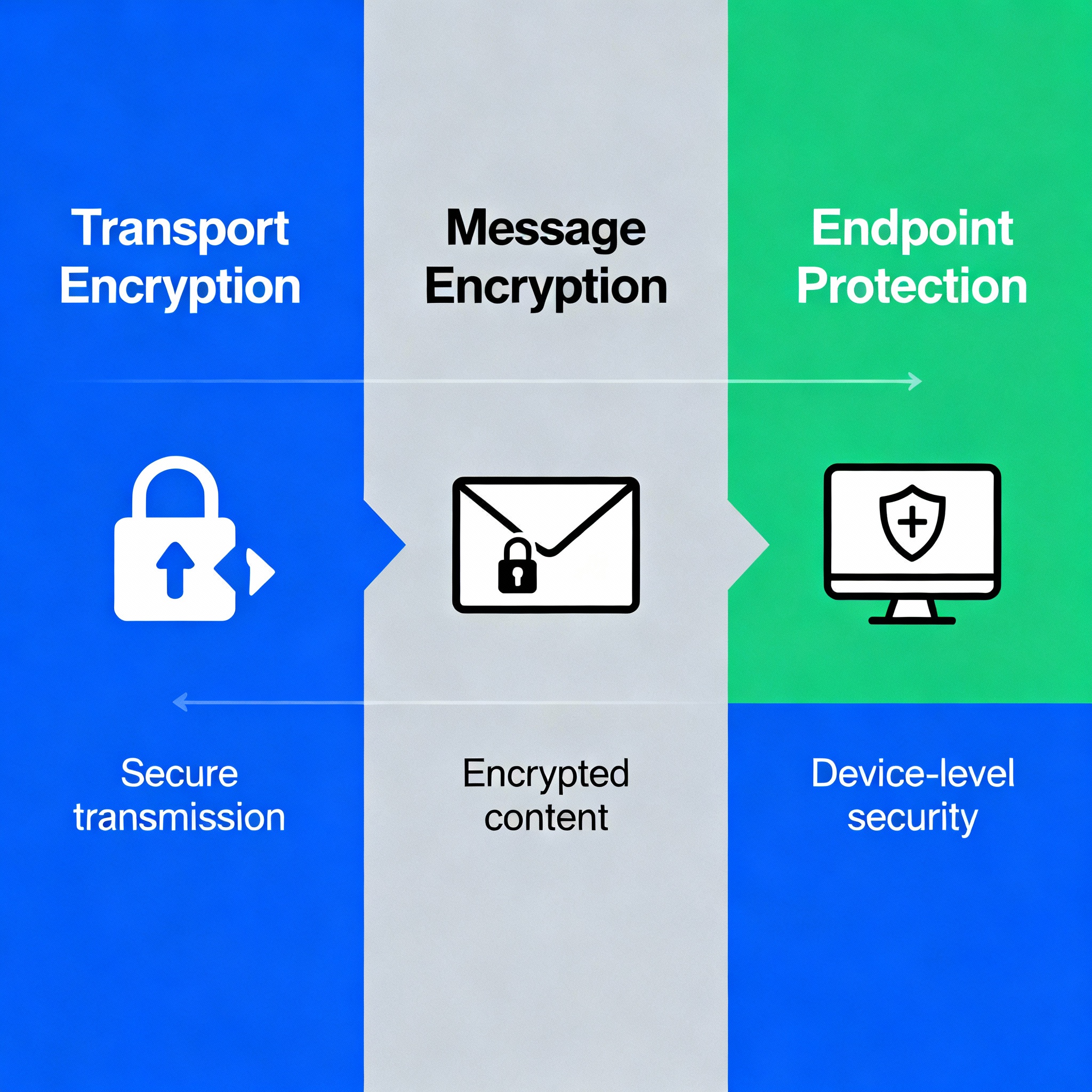
TLS protects email in transit between mail servers. Most modern mail systems support TLS by default, but TLS only protects the channel, not the email content at rest or on recipient devices. Treat TLS as table stakes, not a complete solution.
Opportunistic vs. Enforced TLS
Opportunistic TLS attempts encryption but falls back to plaintext if the receiving server does not support TLS. Enforced TLS requires encryption or blocks delivery, which is safer for privileged client data.
End-to-end message encryption
End-to-end encryption ensures only the sender and recipient can read the message. Common methods include S/MIME and PGP. Managed services and secure web portals also provide end-to-end approaches while simplifying user experience.
Secure web portals and file transfer
For very sensitive attachments, using a secure client portal or password-protected download link is often better than attaching documents to email. Portals log access and allow stronger controls.
Practical steps to encrypt legal firm email
1. Assess risk and classify email flows
Map which mailboxes and types of messages contain privileged or regulated data. That helps decide when enforced encryption is required versus TLS only.
2. Choose the right encryption method
- Use enforced TLS for server-to-server delivery when both sides support it.
- Use S/MIME for internal staff and routine encrypted messages if you manage certificates centrally.
- Use managed message encryption from Microsoft 365 or a compliant provider for user-friendly, policy-driven encryption of outbound email.
If you need help, Armour Cloud’s Compliant M365 Email Service offers managed configuration to reduce configuration errors and ensure policy consistency. Learn more about Managed Microsoft 365 Services at https://armourcloud.io/microsoft-365/.
3. Implement enforced TLS for sensitive destinations
Configure mail gateways or Exchange Online connectors to require TLS when sending to specific partner domains or external counsel. This prevents downgrades to plaintext.
4. Deploy user-friendly message encryption
Use tools that let lawyers click a single button to encrypt and track messages. Microsoft Purview Message Encryption or similar solutions can apply encryption automatically based on content inspection or classification labels.
Explore Compliant M365 Email Service options at https://armourcloud.io/compliant-email-service/ to see managed policies tailored for regulated firms.
5. Protect endpoints and archives
Encrypt mailboxes at rest, ensure disk encryption on endpoints, and secure backups. Email encryption is weaker if archived copies or local downloads remain unprotected.
6. Use multi-factor authentication and access controls
Enforce multi-factor authentication for all mail access, implement least privilege for mailbox delegation, and monitor for atypical logins.
7. Train staff and document policies
Create clear, short policies for when to use encrypted email, how to handle encrypted attachments, and how to share secure portal links. Regular training reduces accidental disclosures.

Integrations and tools your firm should consider
- Managed Microsoft 365 message encryption and sensitivity labels for automated protection. See Managed Microsoft 365 Services at https://armourcloud.io/microsoft-365/.
- Dedicated Email Security & Encryption gateways and policy engines to control outbound encryption automatically. Armour Cloud’s Email Security & Encryption service can help manage these rules, visit https://armourcloud.io/email-security/.
- Email filtering appliances to block suspicious attachments and phishing before they reach lawyers. Learn about Email Filtering at https://armourcloud.io/email-filtering/.
Compliance and audit practices
Keep logs that prove encryption was applied and preserved. Regularly review configuration baselines and test recovery processes. For HIPAA-covered clients, ensure encryption choices map to risk analyses and Business Associate Agreement obligations. See HIPAA Compliant Managed Cloud Hosting for related compliance hosting services at https://armourcloud.io/hipaa-compliant-cloud-hosting/.
Common implementation challenges and how to solve them
- Certificate management for S/MIME can be complex, consider a managed PKI.
- External recipients without S/MIME or PGP support may need secure portal options.
- User friction often breaks security, so prefer managed message encryption that integrates with familiar email clients.
Summary
Encrypting email protects client privilege and supports compliance for legal practices. The right mix of enforced TLS, end-to-end encryption, managed M365 features, endpoint controls, and staff training will dramatically reduce risk while keeping workflows efficient.
Frequently Asked Questions
How strong is TLS for protecting lawyer email in transit?
TLS offers good protection for mail in transit between servers, but it does not protect messages at rest or on endpoints. Use TLS with enforced policies and pair it with message-level encryption for legal privilege protection.
Should my firm use S/MIME or PGP?
Both are strong, but S/MIME integrates more naturally with Microsoft Outlook and enterprise certificate management. PGP is common in open-source workflows. For ease of management, many firms opt for managed message encryption from a trusted provider.
How do I send encrypted email to clients who do not have certificates?
Use a secure client portal or managed message encryption that delivers a protected link and one-time passcode. That keeps the workflow simple for clients while preserving confidentiality.
Will encryption break eDiscovery and archiving?
No, when properly configured, encrypted email can still be archived and made searchable for eDiscovery by retaining appropriate keys or using managed server-side encryption. Coordinate with your archiving provider and IT team.
What are quick wins for small firms with limited IT staff?
Enable enforced TLS, deploy a managed M365 encryption policy, require MFA, and use a secure portal for confidential attachments. Consider managed services to remove day-to-day operational burden.
How does email encryption support HIPAA or other regulations?
Encryption helps meet safeguards for protected health information when transmitted electronically. It is one element of a broader risk-based compliance program that includes policies, training, and breach response plans.
Next steps for your firm
If you want a practical, low-friction deployment, start with a risk assessment of your most sensitive mail flows, then pilot managed message encryption for a small group of users. Armour Cloud can help design, deploy, and manage encryption and compliance controls through our Compliant M365 Email Service and Email Security & Encryption offerings.
Get help from a trusted, local provider
Call (602) 529-3435 to discuss secure email options or request a consultation at https://armourcloud.io/contact/. Learn more about Colocation at https://armourcloud.io/colocation/ if you require private infrastructure in Arizona.
Conclusion
Encrypting your firm’s email is an achievable, high-impact step toward protecting clients and meeting regulatory obligations. Focus on policies, user experience, and managed services to keep protections strong without slowing legal work. When security is paired with usability, lawyers will adopt encryption and your firm will benefit from better client trust and reduced risk.
About Armour Cloud
Armour Cloud is a Phoenix-based provider of secure, compliant cloud hosting and managed IT solutions for regulated industries. Armour Cloud delivers high-performance infrastructure built on Arizona data centers, offering low-latency, HIPAA-compliant hosting with 24/7 support.
We specialize in helping healthcare, finance, and legal organizations protect sensitive data, meet compliance requirements, and modernize their IT with scalable, managed cloud environments.
Our Top Services:
- Colocation
- Managed Desktop-as-a-Service (VDI)
- Managed Microsoft 365 Services
- Email Security & Encryption
- Secure WordPress Hosting
- Private Cloud Hosting
- HIPAA Compliant Cloud Solutions
Ready to Secure Your Cloud?
📞 Call (602) 529-3435 or Contact Armour Cloud to get started with a free consultation.


