Managing M365 Security Compliance: Arizona ProviderGuide PHX

Managing M365 Security Compliance: Arizona ProviderGuide PHX
If you manage IT for a regulated organization, keeping Microsoft 365 secure and compliant can feel like juggling moving parts, vendors, and audit checklists. The good news is a practical, repeatable approach will cut risk, simplify audits, and keep end users productive.
In this guide we cover core controls, governance patterns, and operational steps for managing m365 security compliance in healthcare, finance, and legal environments, with real-world tactics you can apply today.
Why M365 security compliance matters now
Microsoft 365 is where email, identity, collaboration, and documents live. Misconfigurations or gaps in identity, data classification, and email protection are common root causes of breaches. Regulated organizations need both preventive controls and evidence, such as logs and policies, to meet HIPAA, SOC 2, or PCI requirements.
Here’s the thing, compliance is not a one-and-done project. It is ongoing configuration, monitoring, training, and documentation. That means clear ownership and a managed approach deliver better security and less audit stress.
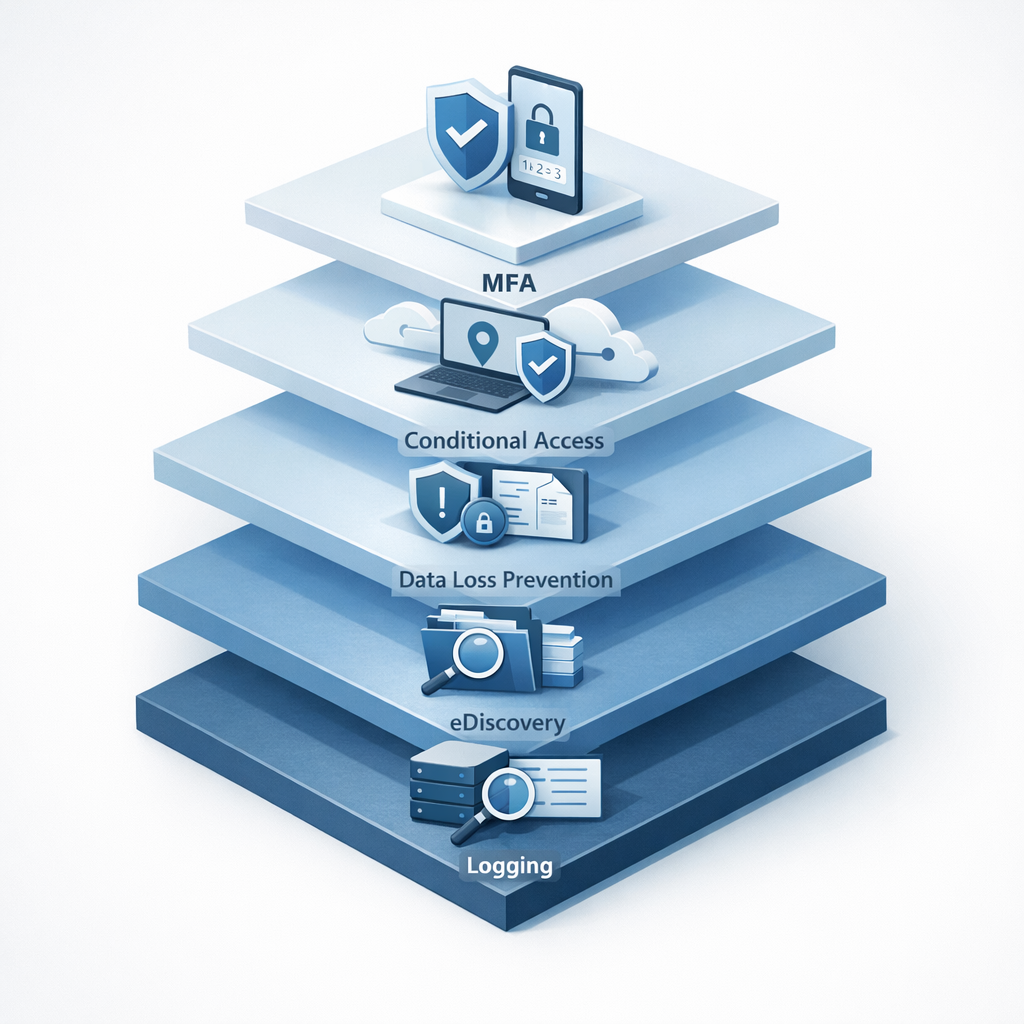
Core framework for managing M365 security compliance
1) Identity and access management
- Enforce Multi-Factor Authentication for all admin and privileged users. MFA reduces account compromise significantly.
- Use Conditional Access policies to require compliant devices, approved locations, and session controls for sensitive apps.
- Implement least privilege access using role-based access control and break out administrative roles across separate accounts.
Related Armour Cloud service: Managed Virtual Desktops (VDI) can reduce endpoint risk by centralizing desktops in a controlled environment. See Managed Virtual Desktops (VDI).
2) Data protection and governance
- Enable Data Loss Prevention policies to stop sensitive data exfiltration from Exchange and SharePoint.
- Classify and label sensitive content, then apply automatic encryption and access restrictions.
- Use eDiscovery and retention policies to preserve evidence for audits and legal holds.
Armour Cloud links: HIPAA Compliant Managed Cloud Hosting and Secure WordPress Hosting show how hosting and application controls complement M365 data protection.
3) Email security and anti-phishing
- Deploy advanced anti-phishing and email filtering, enforce DKIM, DMARC, and SPF, and block malicious attachments and URLs.
- Train users with simulated phishing and rapid reporting channels.
- Consider a managed compliant email gateway for regulated email retention and encryption. See Compliant M365 Email Service and Email Security & Encryption.
4) Monitoring, logging, and incident readiness
- Centralize logs in a SIEM or a managed logging service with long-term retention to meet audit timelines.
- Configure alerts for privileged actions, suspicious sign-ins, and data exfiltration attempts.
- Maintain an incident playbook and run tabletop exercises to validate detection and response.
5) Policies, documentation, and evidence
- Maintain clear written policies for access reviews, backup and retention, change control, and vendor management.
- Automate evidence collection where possible, exporting reports, activity logs, and configuration snapshots for audits.
- Schedule regular compliance reviews and remediation sprints.
Operational checklist: 8 tactical steps you can run this quarter
- Enforce MFA for all users and set emergency breakglass procedures.
- Deploy Conditional Access for admin roles and high-risk apps.
- Implement DLP templates, test them in monitor mode, then enforce.
- Configure DKIM, DMARC, SPF, and an email filtering layer.
- Set up unified logging and retention aligned to audit requirements.
- Create access review cadence and document approvals.
- Run a phishing simulation and capture remediation metrics.
- Produce an evidence pack for auditors, including config snapshots and log extracts.
How Armour Cloud helps regulated organizations
Armour Cloud provides Arizona-based, compliant hosting and managed services that reduce operational burden while preserving control and evidence trails. Pairing Managed Microsoft 365 Services with local colocation or private cloud hosting lowers latency and centralizes support, ideal for healthcare or legal teams that must meet HIPAA and SOC 2 requirements. Explore Microsoft 365 Managed Services and Private Cloud Hosting for integration options.
Summary
Managing M365 security compliance requires a mix of strong identity controls, data governance, email protection, continuous monitoring, and clear documentation. Treat compliance as an operational discipline, automate evidence collection, and use managed services where they reduce risk and complexity.
Secure M365 with Armour Cloud
Ready to reduce compliance risk and simplify audits? Armour Cloud supports managed Microsoft 365 security and compliance with 24/7 support, Arizona-based hosting, and tailored controls for HIPAA and SOC 2. Call (602) 529-3435 for secure hosting or compliance support, or request a consultation at https://armourcloud.io/contact/.
Frequently Asked Questions
What are the first priorities when starting M365 compliance?
Start with identity controls: enforce MFA, separate admin accounts, and configure Conditional Access. Simultaneously, enable logging and basic email protections so you can detect and respond to incidents.
How do I prove HIPAA or SOC 2 controls in M365?
Collect configuration snapshots, audit logs, access review records, and policy definitions. Automate export of reports from the Compliance Center and archive them with retention aligned to your control framework.
Can Armour Cloud manage M365 while we keep core policies internal?
Yes, Armour Cloud offers flexible managed Microsoft 365 Services where we operate controls under your governance, or fully manage configurations and monitoring depending on your needs. Explore Microsoft 365 Managed Services.
What prevents users from bypassing security controls?
Combine technical enforcement, like Conditional Access and Intune device compliance, with user training and enforcement processes. Use monitoring and alerts to detect policy violations quickly.
How often should access reviews occur?
For regulated data, run access reviews quarterly for privileged roles and at least annually for general users. Document approvals and remediation steps as audit evidence.
Is email encryption required for compliance?
Many regulations require protection of sensitive data in transit and at rest. Implementing encryption for sensitive email, combined with DLP and secure gateways, reduces exposure and helps meet regulatory requirements.
Conclusion
Securing Microsoft 365 for compliance is achievable, when you focus on identity, data protection, email security, monitoring, and documentation. You do not have to do it alone. Combining local, compliant hosting with managed M365 services speeds deployments, provides evidence readiness, and frees your team to focus on care, advice, or operations.
About Armour Cloud
Armour Cloud is a Phoenix-based provider of secure, compliant cloud hosting and managed IT solutions for regulated industries. Armour Cloud delivers high-performance infrastructure built on Arizona data centers, offering low-latency, HIPAA-compliant hosting with 24/7 support.
We specialize in helping healthcare, finance, and legal organizations protect sensitive data, meet compliance requirements, and modernize their IT with scalable, managed cloud environments.
Our Top Services:
- Colocation
- Managed Desktop-as-a-Service (VDI)
- Managed Microsoft 365 Services
- Email Security & Encryption
- Secure WordPress Hosting
- Private Cloud Hosting
- HIPAA Compliant Cloud Solutions
Ready to Secure Your Cloud?
📞 Call (602) 529-3435 or Contact Armour Cloud to get started with a free consultation.