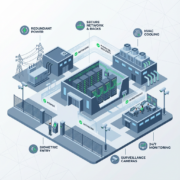
Low Latency Hosting Arizona: HIPAA, SOC2 Cloud Services Now!

Local teams, local data, measurable speed. When application responsiveness and regulatory compliance matter, choosing a nearby provider can cut milliseconds off user interactions and reduce risk across HIPAA, SOC 2, and PCI workflows. In this article you will learn why proximity matters for regulated organizations, how low-latency design works in practice, and practical steps to secure and manage workloads in Arizona-based facilities.
Low latency hosting arizona is not just about speed, it is about control, compliance, and predictable performance for healthcare, finance, legal, and multi-location businesses that cannot tolerate lag or lax security.

Why low latency hosting in Arizona matters
Faster workflows, better outcomes
For clinicians using remote EHRs, attorneys running secure document searches, or financial firms performing real-time analytics, every millisecond counts. Hosting in Arizona reduces physical distance and network hops compared to distant cloud regions, cutting round-trip time and jitter. That directly improves user experience and can reduce time-to-decision in critical workflows.
Compliance and local control
Keeping data in Arizona data centers helps you manage regional compliance commitments, maintain clearer data residency, and simplify audits. Armour Cloud’s managed environments pair low-latency architecture with controls mapped to HIPAA and SOC 2 frameworks so you get performance and proof together. Explore HIPAA Compliant Managed Cloud Hosting for details on audits and attestations.
What makes a low-latency data center
Network topology and peering
Low-latency facilities combine dense fiber trunks, multiple carrier on-ramps, and direct peering with major exchanges. That reduces hops and prevents detours through distant regions during critical traffic flows.
Edge routing and private connectivity
Using regional edge routing, private VLANs, and MPLS or direct interconnects keeps sensitive traffic off the public internet and reduces jitter. For hybrid setups, pairing colocation with private cloud connections yields both speed and segregation. Learn more about Colocation options for Arizona-based racks.
Hardware and configuration
Low-latency hosting requires low-jitter switching, redundant paths, and tuned QoS policies. Storage and compute tiers should be sized to avoid resource contention that causes latency spikes. Armour Cloud’s managed stack ensures these configurations are continuously monitored.
Services that benefit most
Managed Virtual Desktops (VDI)
Remote desktops hosted locally keep data center-resident sessions snappy for distributed teams. Managed VDI reduces data exfiltration risk because PHI and sensitive documents never leave the facility. See Managed Virtual Desktops (VDI) for deployment patterns.
Colocation and private cloud
If you need physical control over hardware with enterprise connectivity, colocation minimizes latency while preserving ownership of specialized appliances or HSMs. Compare Colocation and Private Cloud Hosting for the right fit.
Microsoft 365 and secure email
A locally managed M365 integration with compliant email filtering and encryption reduces latency for mailbox operations and improves security posture for regulated communications. Explore Microsoft 365 Managed Services and Compliant M365 Email Service.
Secure WordPress and application hosting
Customer portals and patient-facing sites perform better when hosted nearer to your users. Secure WordPress Hosting with managed WAF and CDN tuning provides both speed and compliance-ready controls.
How to secure low-latency remote desktops and services
Step 1: Harden access
Require MFA, conditional access, and device posture checks before granting desktop sessions. Keep sessions inside the data center when possible.
Step 2: Encrypt everywhere
Use TLS for in-transit data and full-disk or volume encryption for at-rest assets. Maintain key management policies and rotate keys regularly.
Step 3: Monitor and patch continuously
24/7 monitoring, automated patching windows, and prompt incident response prevent small issues from becoming outages that degrade latency.
Step 4: Test for latency under load
Regularly simulate user loads and measure RTP and jitter across regional endpoints. Tune QoS and peering arrangements based on these tests.
Costs, ROI, and practical trade-offs
Local low-latency hosting can be slightly higher than a public hyperscale region per unit cost, but the ROI often shows up in fewer support tickets, higher clinician productivity, faster transaction times, and lower audit overhead. For regulated workloads the reduction in risk and audit complexity often justifies the investment.
FAQs
What is low latency hosting and how is it different from regular cloud hosting?
Low latency hosting emphasizes proximity, optimized network paths, and reduced jitter. Regular cloud hosting may prioritize scale and global reach, while low-latency providers focus on speed, local peering, and predictable performance for nearby users.
Will hosting in Arizona meet HIPAA and SOC 2 requirements?
Yes, when managed under documented controls, encrypted storage, access logging, monitoring, and contractual protections like BAAs. Armour Cloud aligns infrastructure and operations with HIPAA and SOC 2 expectations; see HIPAA Compliant Managed Cloud Hosting for specifics.
Can I colocate my existing servers and still get managed services?
Absolutely. Colocation with managed services gives you physical control plus 24/7 monitoring, remote hands, and optional patching and backups. Check Colocation for plan details and pricing.
How do I reduce latency for remote workers outside Arizona?
Use hybrid edge strategies, local gateway points, SD-WAN, and regional PoPs to route traffic efficiently. In some cases, a hybrid cloud with regional caching or edge compute can improve experience for distributed teams.
Is local hosting more secure than major public clouds?
Security depends on controls and operations. Local hosting gives you direct access to physical security and a partner who understands regional compliance. Armour Cloud combines physical controls, managed security, and compliance alignment to provide a strong security posture.
Practical next steps for decision-makers
- Map your latency-sensitive applications and users. 2. Run a short pilot with regionally provisioned VDI or application instances. 3. Validate compliance and audit evidence early. 4. Implement monitoring and scheduled performance tests.
Ready to move to low-latency, compliant hosting in Arizona?
If predictable performance, compliance, and local support matter to your organization, let’s talk. Call (602) 529-3435 or request a consultation at https://armourcloud.io/contact/. Learn more about Colocation, Managed Virtual Desktops, Microsoft 365 Managed Services, and Secure WordPress Hosting directly from Armour Cloud:
- HIPAA Compliant Managed Cloud Hosting
- Colocation
- Managed Virtual Desktops (VDI)
- Microsoft 365 Managed Services
- Secure WordPress Hosting
Summary
Low-latency hosting in Arizona delivers faster, more predictable performance for regulated organizations while simplifying compliance and delivering local accountability. By combining regional connectivity, managed controls, and 24/7 support, you can protect sensitive data and reduce operational friction.
Conclusion
Choosing low latency hosting in Arizona is a strategic move for healthcare, finance, legal, and multi-location businesses that need speed, security, and compliance. Armour Cloud pairs nearby data centers with managed services designed to meet HIPAA, SOC 2, and PCI requirements, letting your teams work faster and more securely. If minimizing latency and maximizing compliance is a priority, reach out and get a tailored plan.
About Armour Cloud
Armour Cloud is a Phoenix-based provider of secure, compliant cloud hosting and managed IT solutions for regulated industries. Armour Cloud delivers high-performance infrastructure built on Arizona data centers, offering low-latency, HIPAA-compliant hosting with 24/7 support.
We specialize in helping healthcare, finance, and legal organizations protect sensitive data, meet compliance requirements, and modernize their IT with scalable, managed cloud environments.
Our Top Services:
- Colocation
- Managed Desktop-as-a-Service (VDI)
- Managed Microsoft 365 Services
- Email Security & Encryption
- Secure WordPress Hosting
- Private Cloud Hosting
- HIPAA Compliant Cloud Solutions
Ready to Secure Your Cloud?
📞 Call (602) 529-3435 or Contact Armour Cloud to get started with a free consultation.