pci compliant m365 setup: Secure Microsoft 365 for PCI DSS in Arizona

PCI compliance for Microsoft 365 can feel complex, especially when your organization handles cardholder data across locations and remote users. In this guide we walk through a pragmatic, auditable approach to a pci compliant m365 setup, tailored for regulated organizations that need measurable controls, local support, and low-latency hosting in Arizona.
Why this matters, fast: Microsoft maintains validated PCI DSS components for Office 365 and Azure, but customer configuration and boundary decisions determine your actual compliance. That split of responsibility is why many regulated firms choose managed, locally supported services to reduce scope and produce evidence for auditors.
Executive summary
This article shows how to design, implement, and document a PCI-ready Microsoft 365 environment. You will get a scope-reduction strategy, configuration checklist, logging and monitoring recommendations, options for encryption and email controls, and documentation tips auditors expect. We include practical links to Armour Cloud services that help deliver a locally managed, compliant M365 deployment.
PCI scope and shared responsibility
Understand the split
Microsoft publishes PCI attestations for core services, but those attestations do not automatically make your tenant compliant. You and Microsoft share responsibility, where Microsoft secures the platform and you secure tenant configuration, applications, identities, endpoints, and cardholder data flows.
Key reading: Microsoft’s PCI DSS guidance explains which services are validated and how customer responsibilities remain. See Microsoft Learn for more details.
Minimize your cardholder data environment (CDE)
Smaller scope equals simpler audits and lower risk. Use these strategies to reduce the CDE inside M365:
- Avoid storing cardholder data in mailboxes and SharePoint where possible. Use tokenization or dedicated PCI solutions.
- Segment accounts and groups that access any payment workflows with dedicated policies.
- Move processing to validated payment providers or isolated systems, then keep references, not raw PAN data, inside M365.
Configuration checklist for a PCI-compliant M365 setup
Identity and access controls
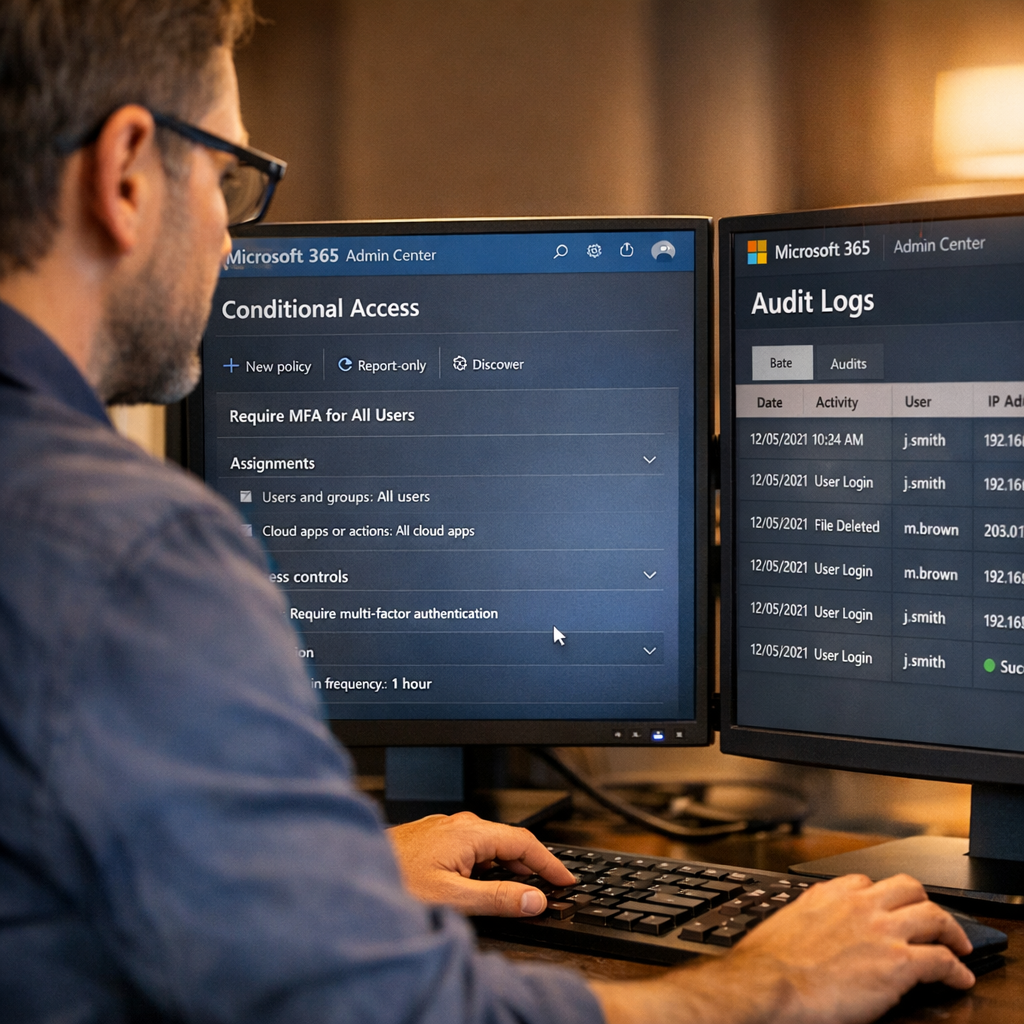
- Enforce strong authentication for all admins and users, require MFA everywhere, and prefer passwordless options like FIDO2 for privileged accounts.
- Use role-based access, least privilege, and Privileged Identity Management for temporary elevation.
- Apply Conditional Access policies that block legacy auth and restrict access by device health and location.
Logging, monitoring, and retention
- Forward Azure AD and Exchange audit logs to a hardened SIEM or log archive with tamper-evident retention that meets your AC requirements.
- Capture mailbox activity, admin changes, and authentication logs. Maintain retention timelines that satisfy your PCI level and auditor requirements.
Encryption and data protection
- Use built-in Microsoft 365 encryption for data at rest and in transit, plus service-side encryption where available.
- Apply Microsoft Purview sensitivity labels, and use policy-based encryption for email that carries sensitive references to payment data.
- Ensure key management policies and access to keys are controlled and logged.
Email security and anti-phishing
- Implement SPF, DKIM, and DMARC with strict policies and reporting, and tune anti-phishing and safe links policies.
- Use sandboxing and attachment scanning to block malware or exfiltration attempts.
- Armour Cloud’s managed email and filtering services can help operationalize these controls while providing compliance-focused reporting. Explore Compliant M365 Email Service and Email Security & Encryption.
Endpoint & VDI considerations
- If users interact with cardholder data on endpoints, isolate those sessions using Managed Virtual Desktops (VDI) to keep data in the datacenter and out of user devices.
- Ensure endpoint protection, disk encryption, and restricted clipboard/file transfer policies.
Evidence, documentation, and audit readiness
Auditors expect three things: documented architecture and boundaries, evidence of controls in operation, and consistent logging. Build a compliance binder with:
- Responsibility matrix showing Microsoft vs customer scope
- Network diagrams, data flow maps, and system inventories
- Configuration snapshots and change history for Conditional Access, retention, and encryption
- SIEM playbooks and retained logs for required time windows
Armour Cloud can help you produce the required evidence through managed services and local support. Learn more about Microsoft 365 Managed Services.
Practical implementation timeline (90-day roadmap)
- Project kickoff, discovery, and scoping, including CDE mapping.
- Identity lockdown: MFA, Conditional Access, role cleanup, and PIM.
- Logging and retention pipeline to SIEM, implement alerting and evidence collection.
- Email and DLP policies, encryption, and anti-phishing enforcement.
- VDI or endpoint isolation rollout for users handling cardholder data.
- QSA pre-audit review, gap remediation, and final validation.
Implementation choices: DIY vs managed services
Here’s the thing, many teams underestimate the documentation and operational burden of ongoing PCI compliance. A Phoenix-based provider like Armour Cloud offers local colocation, managed VDI, and M365 services that reduce scope and provide 24/7 evidence collection, which simplifies audits and speeds remediation. Consider combining Managed Microsoft 365 Services with Colocation or Managed Virtual Desktops depending on your latency and control needs.
FAQs
What is the first step to make Microsoft 365 PCI compliant?
Start by mapping your cardholder data flows and identifying where PANs are stored, processed, or transmitted. That will define your CDE and the configuration controls you must apply.
Does Microsoft 365 being PCI-validated mean I am compliant?
No. Microsoft’s validation covers specific platform services. Your tenant configuration, identities, endpoints, and applications remain your responsibility and must be validated accordingly.
How does email affect PCI scope?
If email stores or transmits PANs, it is in scope. Use policy-based encryption, DLP, and avoid storing card numbers in messages or attachments.
Can Managed VDI reduce PCI scope?
Yes. VDI keeps cardholder data in a controlled data center environment. Using Managed Virtual Desktops can reduce endpoint risk and make audits easier.
How long should I retain logs for PCI?
Retention varies by requirement and PCI level, but ensure logs needed for investigations and validation are preserved immutably for the period required by your QSA and processors.
Who should I call for help implementing PCI controls in M365?
Call Armour Cloud at (602) 529-3435 or request a consultation at https://armourcloud.io/contact/.
Ready to Harden Your Microsoft 365 for PCI?
If you want local expertise to implement, manage, and document a PCI-ready Microsoft 365 environment, Armour Cloud offers Managed Microsoft 365 Services and compliant email solutions with Phoenix-based data centers and 24/7 support. Call (602) 529-3435 or contact Armour Cloud to schedule a compliance assessment.
Conclusion
A compliant M365 setup is more than flipping security toggles. It is deliberate scoping, consistent controls, and auditable evidence. By minimizing CDE, enforcing identity controls, centralizing logs, and using managed services where helpful, you can achieve a defensible PCI posture while keeping operational overhead manageable. Armour Cloud’s Arizona-based hosting, VDI, and managed M365 services are designed for regulated organizations that need measurable, local compliance support.
About Armour Cloud
Armour Cloud is a Phoenix-based provider of secure, compliant cloud hosting and managed IT solutions for regulated industries. Armour Cloud delivers high-performance infrastructure built on Arizona data centers, offering low-latency, HIPAA-compliant hosting with 24/7 support.
We specialize in helping healthcare, finance, and legal organizations protect sensitive data, meet compliance requirements, and modernize their IT with scalable, managed cloud environments.
Our Top Services:
- Colocation
- Managed Desktop-as-a-Service (VDI)
- Managed Microsoft 365 Services
- Email Security & Encryption
- Secure WordPress Hosting
- Private Cloud Hosting
- HIPAA Compliant Cloud Solutions
Ready to Secure Your Cloud?
📞 Call (602) 529-3435 or Contact Armour Cloud to get started with a free consultation.